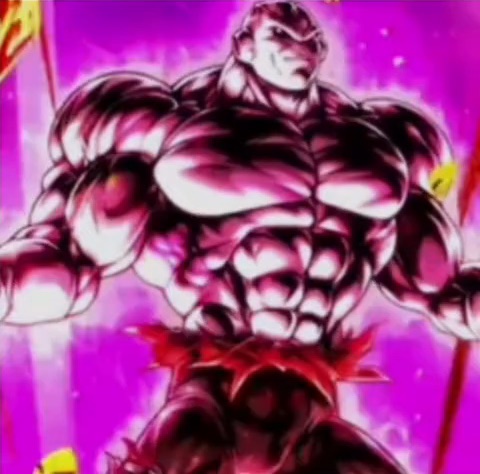





I'm So In Love With You Meme AI Video Generator

Make the I'm So In Love With You AI video from one photo. You strike four poses on a white floor and sway your hips on every line, like Jiren on TikTok.

2Your photo

1Pick a template

One photo: you strike four poses on a white floor, swaying your hips on every line

2Your photo

Lyrics on screen

What it is

What is the I'm So In Love With You meme?

The I'm So In Love With You AI video puts you in the dance meme that started with Jiren, the stone-faced fighter from Dragon Ball. In Dragon Ball Legends his animated card sways its hips, and in October 2026 people set it to the line “I'm so in love with you”: the Dragon Ball Legends dance meme was past a million plays within days.

Then came a version anyone could star in. A character stands on a white floor and strikes four poses, one for each line, swaying the hips in between, and people put everyone through it, from game characters to Gucci Morty. Here the dancer is whoever is in your photo, in the clothes they wear in it.
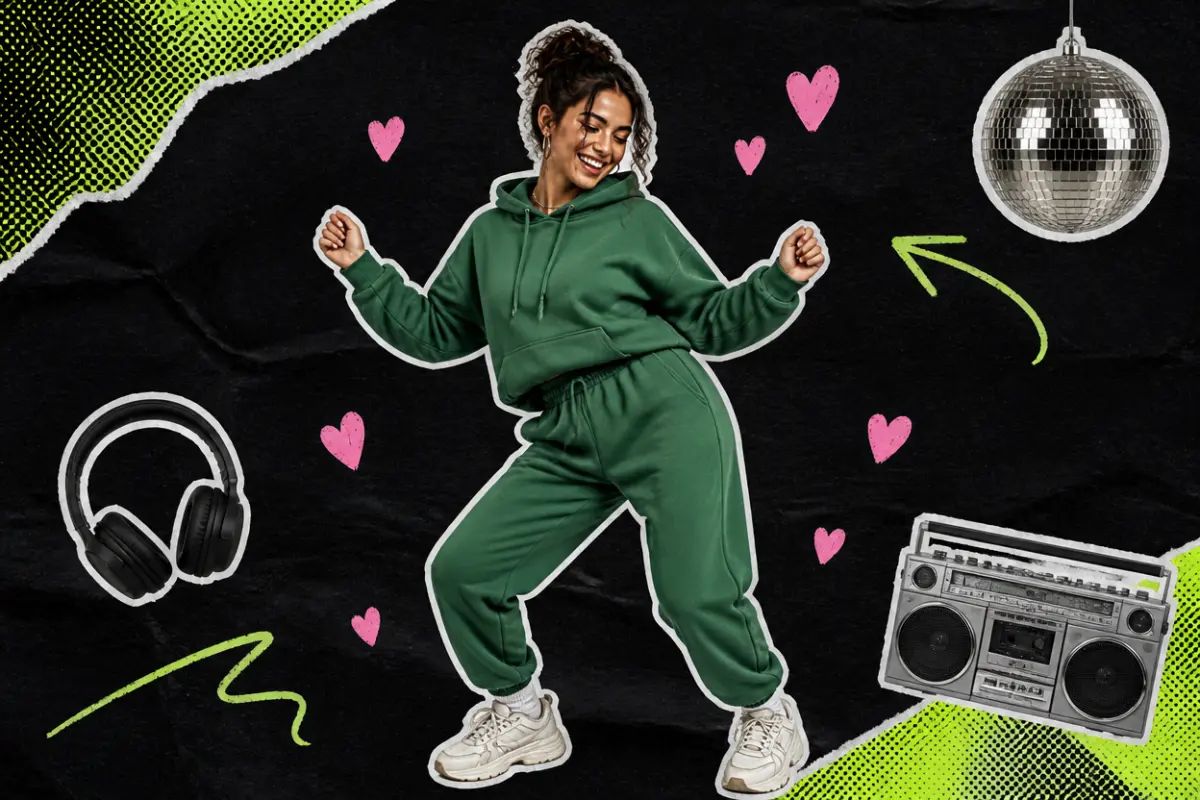
Collage: a young woman in a hoodie dancing with knees bent and arms out, swaying her hips, with pink hearts around her

What happens, in order

  1. Arms out1

    Arms out

    Knees bent, arms bent out to the sides, you sway your hips on “I'm so in love with you”.

  2. Low and wide2

    Low and wide

    A pixel dissolve, and you are in a deep, wide stance with your hands in front of you, still swaying.

  3. Hands on hips3

    Hands on hips

    Both hands on your hips, you swing from side to side as if you have no idea what to do.

  4. The hip roll4

    The hip roll

    One hand on your hip, the other in front, you roll your hips for the last line before it dissolves away.

The original

The original I'm So In Love With You meme

The I'm So In Love With You meme starts with Jiren, the stone-faced fighter from Dragon Ball. His card in Dragon Ball Legends has a short animation where he rolls his hips, and on October 20, 2026 people began setting it to the line “I'm so in love with you”.

This loop of the card was one of the first to spread, with close to 800,000 plays. The four-pose dance and the chat replies that followed all borrow its hip roll, and an I'm So In Love With You AI video puts you in Jiren's place.

@1vvxx6🔥 786K

On TikTok

The I'm So In Love With You trend on TikTok

The same four poses, with a different dancer each time.

How to

How to make the I'm So In Love With You AI meme

You do not need to dance. The poses and the hip sway come from the clip; you bring the photo.

Make my I'm So In Love With You
Sample photo of an adult, face clearYour photo
This scene: SoloThis scene
Your photo goes in, and this scene comes out with you in it.
  1. 01

    Step 1: Pick a version

    Solo for one dancer, or With your crew for two to four of you from one group photo, in the generator at the top of this page.

  2. 02

    Step 2: Add one photo

    One subject, knees up or full length, face clear. Wear in the photo what you want to dance in.

  3. 03

    Step 3: Tick the box

    Confirm you have the right to use the photos.

  4. 04

    Step 4: Make it

    Press the button. The I'm So In Love With You AI video renders on its own; leave the page if you like and find it in My videos.

  5. 05

    Step 5: Download and post

    Tap Download MP4, then post it on TikTok with the AI-generated content label switched on.

Your photo

I'm So In Love With You AI template: which photo to use

An I'm So In Love With You AI video shows you from the head to the thighs on a white floor, so a photo from the knees up or a full-length one works best. The face matters most: you face the camera through all four poses. Whatever you wear in the photo is what you dance in, and everyday clothes make the hip sway funnier. Stand naturally; the poses come from the clip.

  • Sample photo: a young woman with dark curly hair in a green hoodie and joggers, standing, face clearly visible
    Clear face, good light
  • Face in shadowTryTurn toward a window
    Face in shadow
  • Heavy filterTryUse the original photo
    Heavy filter
  • Face too smallTryStep closer: waist-up or full length
    Face too small

Works

  • One subject alone, or a group photo for With your crew
  • Knees up or full length
  • Face clear, looking roughly at the camera
  • Daylight or a bright room, no heavy filters

Skip

  • Faces small and far away
  • Sunglasses, hats low over the eyes, masks
  • Public figures

Background

Where the I'm So In Love With You meme came from

Ten days from a swaying game card to a dance everyone puts their own characters through. Dates come from the TikTok posts.

  1. October 19, 2026

    Jiren dances

    Clips of Jiren’s swaying Dragon Ball Legends card set to “I'm so in love with you” start passing half a million plays.

  2. October 20, 2026

    A million

    A compilation of Dragon Ball fighters dancing to the line passes 1.6 million plays, and people film themselves doing Jiren’s moves.

  3. October 24, 2026

    Four poses

    The four-pose version appears: a character on a white floor, one pose per line. A Dead Space version passes 500,000 plays.

  4. October 25, 2026

    Everyone dances

    Gucci Morty, a Five Nights at Freddy’s animatronic and a crew of avatars each pass 300,000 plays doing the same four poses.

  5. October 28, 2026

    In the chat

    Jiren’s dance becomes a reply: a video of it sent as an answer to a long love message passes 800,000 plays.

Fixes

If your I'm So In Love With You AI video looks off

An I'm So In Love With You AI video shows you large on a plain white floor, so the photo has to get the face and the outfit right.

  • My legs or trousers look invented

    The clip shows you down to the thighs. With a photo cut at the chest, the AI has to draw the rest; use one from the knees up or full length.

  • The face is not quite right

    You face the camera in every pose, so a sharp, front-facing photo in good light matters most. Avoid filters that smooth or reshape the face.

  • There are two of us in the photo

    Pick With your crew for a group photo; the solo version puts one dancer on the floor.

  • The photo will not upload

    Use a JPG, PNG or WEBP. iPhone photos saved as HEIC sometimes will not open in a browser; take a screenshot of the photo and upload that.

  • The video did not render

    If a render fails, the credits go back to your balance on their own. Add the photo again and press the button once more.

Posting

Posting your I'm So In Love With You AI video

The captions on the versions people post are short and a little embarrassed. Say who is dancing in your I'm So In Love With You AI video and let the hips do the rest.

Captions to copy

Hashtags

  • #imsoinlovewithyou
  • #jiren
  • #jirendance
  • #dragonball
  • #dbl
  • #aidance
  • #fyp
  • Say who is dancing

    The versions that travel name the dancer in the caption. Tag them, or put their name at the top of the frame.

  • Use the words people search

    People look for these as im so in love with you meme, im so in love with you dance and jiren dance meme; a couple of those words in your caption help it get found.

  • Label it as AI

    Switch on TikTok’s AI-generated content label before you post.

Pricing

Pay once, spend on any trend

One-time packs, no subscription. Credits never expire and come back if a render fails.

Starter

$9.90

15 credits per $1

150 credits

15 s of video

  • Trends, text and image to video
  • No watermark
  • Credits never expire
Most popular

Creator

$29.90

23.5 credits per $1 · 56% more

700 credits

1 min 10 s of video

  • Trends, text and image to video
  • No watermark
  • Credits never expire

Pro

$59.90

26.5 credits per $1 · 76% more

1,600 credits

2 min 40 s of video

  • Trends, text and image to video
  • No watermark
  • Credits never expire
Best value

Studio

$299

30 credits per $1 · 100% more

9,000 credits

15 min of video

  • Trends, text and image to video
  • No watermark
  • Credits never expire

I'm So In Love With You AI video FAQ

How do I make the I'm So In Love With You AI video?

Add one photo from the knees up with the face clear, tick the box and press the button at the top of this page. When it is ready, download it and post it.

Do I need an app or a filter?

No. It all happens on this page in the browser, on a phone or a computer: one photo in, an I'm So In Love With You AI video out, ready to download.

Do I need to know the dance?

No. The four poses and the hip sway come from the clip, not from your photo. Stand naturally in the picture and the I'm So In Love With You AI video does the rest.

Can two of us dance in it together?

Yes. Pick With your crew and add one group photo with two to four in it: they dance the four poses side by side in your I'm So In Love With You AI video.

What happens to my photo?

It is used only to make your video and is deleted when you delete the video. The finished clip is not shown anywhere on this site unless you share it, and nothing you upload is used to train models.

Independent tool. Not affiliated with, endorsed by or connected to Dragon Ball, Dragon Ball Legends or their creators and publishers, the games and shows whose characters appear in the TikTok versions, the TikTok creators behind the trend, TikTok or any app. Videos are AI-generated; label them as AI when you post.