Video model by MiniMax

MiniMax H3 AI Video Generator

MiniMax H3 turns a prompt or a single image into a 2K clip of 4 to 15 seconds, and every clip comes with sound.

Try

Examples

Made with MiniMax H3

Clips MiniMax H3 made from a written prompt or one picture, played as they came out.

A clay fox leaps a lava canyon
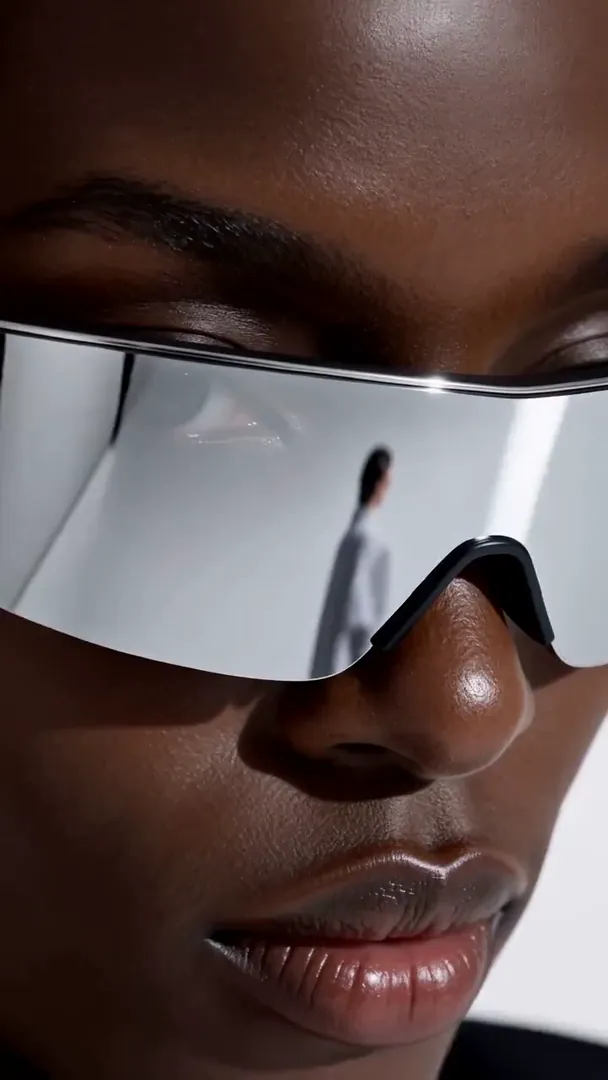
An eyewear campaign, shot vertical
A glowing hand-drawn creature in a real kitchen
A woman in a taxi on a rainy neon night
A street photographer's candid moment
Two magicians swap suits on stage

What MiniMax H3 is good at

01Sound on every clip

MiniMax H3 always renders audio with the video; there is no silent version. That makes it a natural pick for clips meant to be posted as they are: a dog barking at the door, a crowd reacting, waves breaking on rocks. Describe what should be heard in your prompt, and the sound is made to match the action on screen.

02People and animals in motion

Write what a person or an animal does, step by step, and H3 plays it out: a cat jumping onto a shelf, a dancer turning, a child running toward the camera. Keep each action clear and physical, say which part of the body moves, and avoid stacking too many actions into one short clip.

032K output

H3 renders every clip in 2K, in both modes and at every length. There is a single quality setting, so the settings menu only asks for the shape and the length. The extra detail holds up when a clip is cropped, zoomed or shown on a large screen, not only in a phone feed.

04Short social clips

Lengths run from 4 to 15 seconds, which covers a reaction, a gag with a punchline, a product reveal or a looping background. Write one idea per clip, open on the subject so the first frame already tells the story, and put the payoff before the last second so it is not cut off.

05Photos into moving shots

Add one image as the first frame and H3 animates from it, keeping the shape of your photo: vertical stays vertical, wide stays wide. Use it for a pet photo that starts to move, a still life where steam rises from a cup, or a portrait that turns toward the camera. The prompt only describes the motion and the sound.

06Six ratios from text

Without an image, choose the frame yourself: 9:16 for TikTok, Reels and Shorts, 16:9 for YouTube, 1:1 and 3:4 for feeds, 4:3 for a classic look, or 21:9 for a wide cinematic strip. The same lengths from 4 to 15 seconds and the same 2K output apply to every shape you pick.

MiniMax H3 specs

Made by
MiniMax
Modes
Text to video · Image to video
Length
4–15s4s · 5s · 6s · 8s · 10s · 12s · 15s
Quality
2K
Shapes, text to video
9:1616:91:13:44:321:9
Shapes, image to video
Follows your image
Sound
Generated with the picture, always on
H3

MiniMax H3

Short clips in 2K with sound on every one

  • 4–15 s in 2K
  • Sound on every clip
  • Keeps your photo’s shape
Create · MiniMax H3

How to make a video with MiniMax H3

  1. 01

    Describe it, or add a photo

    Write who is in the clip, what they do, where the camera is and what we hear. For image to video, drop a photo on the first-frame slot; H3 keeps its shape and animates forward from it.

  2. 02

    Set shape and length

    In text mode, pick one of six aspect ratios. Then choose a length from 4 to 15 seconds. Quality is fixed in 2K and sound is always on, so there is nothing else to set before you create.

  3. 03

    Create and keep it

    Press Create; the button shows the credits for these settings before anything is charged. Sign in and top up only when you need to, then download the MP4 or find it again later in My videos.

MiniMax H3 questions

What is MiniMax H3?

MiniMax H3 is a video generation model from MiniMax. It makes short clips from a written prompt or from one starting image, and it always renders sound with the picture. On Copy That Video you can run it right on this page, or select it from the model menu on the text-to-video and image-to-video tools, alongside Seedance 2.0 and Seedance 2.5.

How long are MiniMax H3 clips?

From 4 to 15 seconds. The length menu offers 4, 5, 6, 8, 10, 12 and 15 seconds. Credits are charged per second, so shorter clips use fewer of them. If you need one continuous take longer than 15 seconds, switch to Seedance 2.5, which goes up to 30 seconds at 480p or 720p.

What resolution does MiniMax H3 output?

Every H3 clip renders in 2K, at every length and in both modes. Because there is a single quality setting, the settings menu only asks for the length, plus the aspect ratio in text mode. That is a clear step above the 720p of the two Seedance models, which helps when a clip is cropped or shown on a big screen.

Can I turn the sound off?

No. MiniMax H3 always generates audio with the video, so there is no audio switch while it is selected. You can still shape the sound in the prompt, for example “only rain and distant thunder, no music”. If you need a silent clip, mute it in your editor, or use Seedance 2.0 or 2.5, where audio can be switched off.

Text to video or image to video: what changes?

In text mode, H3 builds the whole scene from your words, and you choose one of six aspect ratios. In image mode, your photo becomes the first frame and the clip keeps the photo’s shape, so there is no ratio to pick; crop the image first if you want a different frame. Lengths, quality and sound are the same in both modes.

How are credits charged?

Each run is priced per second of video, so the length you pick sets the total, and the Create button shows the exact credits before you pay. Credits come in one-time packs and never expire. If a render fails, the credits are returned to your balance automatically, so you only pay for clips that finish.

What happens to the photo I upload?

The photo is kept only while the model works on it and is deleted as soon as the render ends, whether it succeeds or fails. The finished clip is saved to My videos for you to watch and download again. Only upload images you have the right to use, and never photos of other people without their consent.

How does H3 compare with the Seedance models?

All three work from text or from a first frame. MiniMax H3 renders in 2K, runs 4 to 15 seconds and always includes sound. Seedance 2.0 offers 480p or 720p, 4 to 15 seconds, sound you can switch off, and a ratio choice in image mode. Seedance 2.5 offers 480p or 720p with clips of up to 30 seconds.

Other models

Same prompt box, different limits. Switch any time from the model button.