Window Peeper AI Video Generator

Make the window peeper AI video from one photo: you are the one in the lit window, mid-burger, who spots the camera and shuts the curtain.

Window burgerFrom @capcutfever

Your photo

One adult, alone, face clear, waist-up or full length.

What it is

What is the Window Peeper AI video?

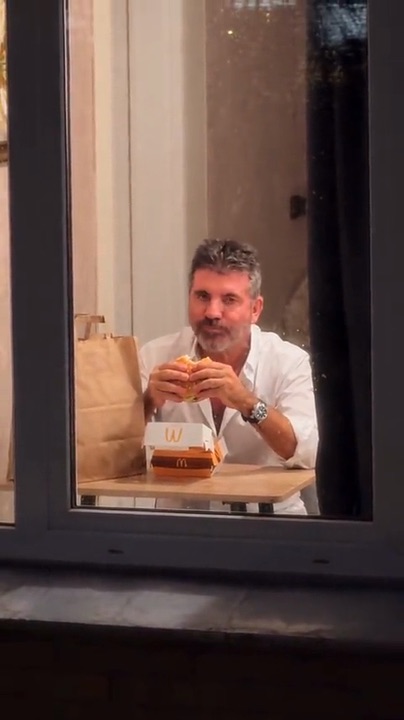
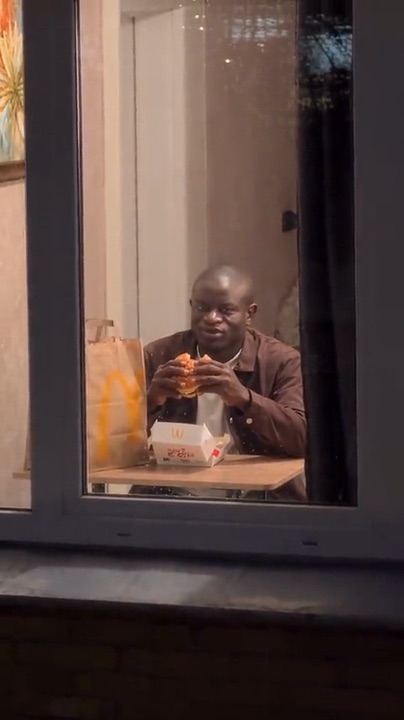
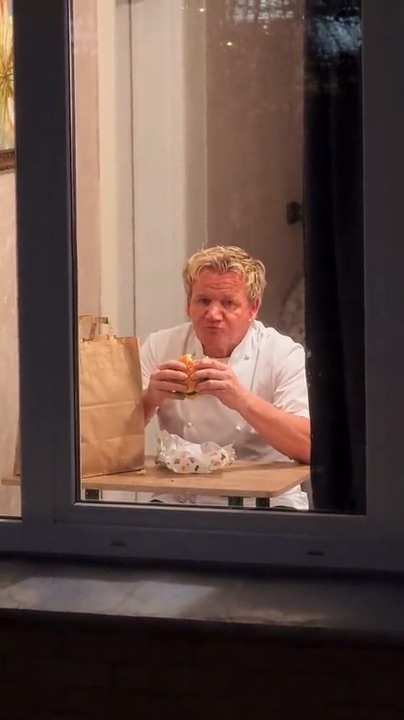
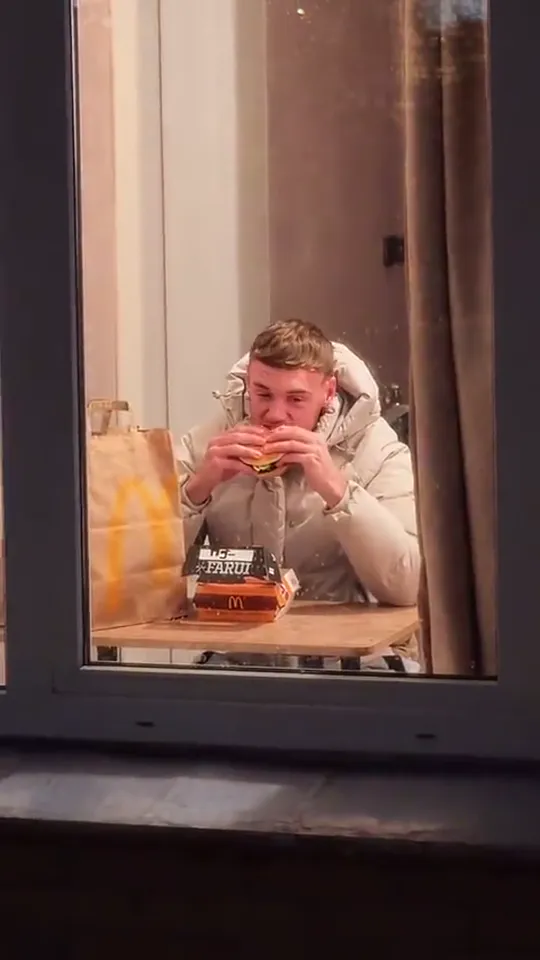
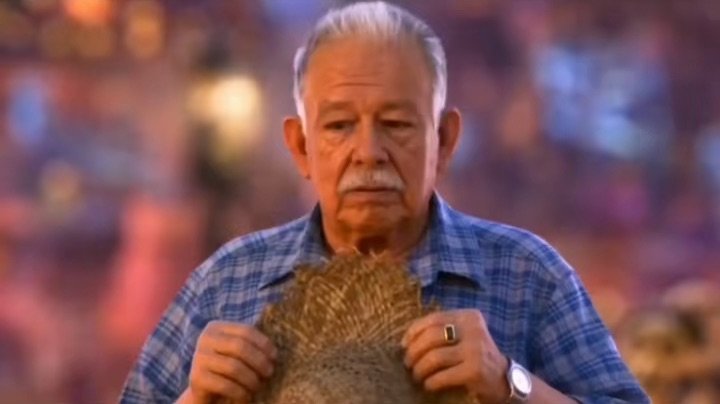
The window peeper AI video is the window peeper meme as a point-of-view joke, and the joke is on you: a phone films through a lit window at night, where someone alone at a table is deep into a burger, until they stare straight into the lens, put the burger down and pull the curtain. It took off on October 20, 2026, in the UK and the US, when the first window peeper AI clips put famous faces behind the glass, and by the next day one of them had passed three million views. On TikTok it travels as #windowpeeper, because the camera is the peeper.

The template behind it, Window burger, turns one photo into the person at the table. Half the comments ask whether it is real or AI, and that doubt is the fun: send it as a window peeper prank, keep the caption short and let the stare do the work.
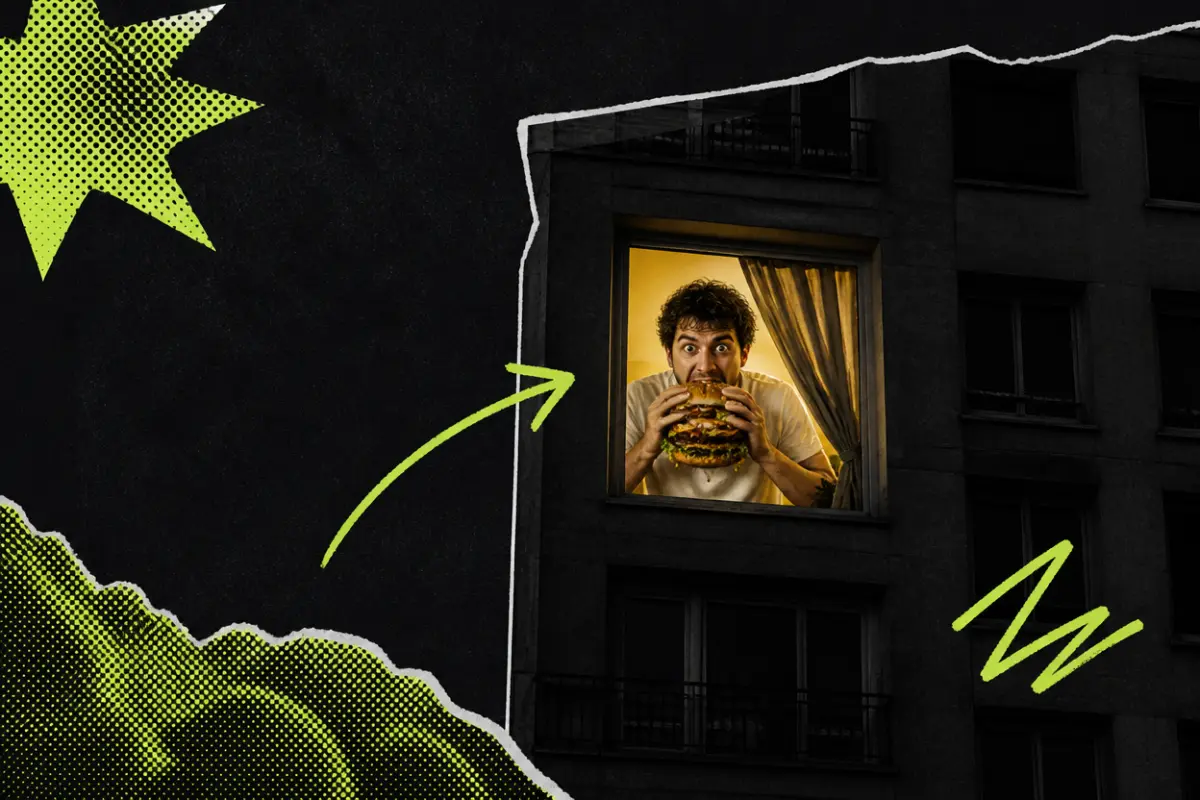
Collage: an apartment building at night with one lit window where a man bites into a huge burger and stares out

What happens, in order

  1. The window1

    The window

    Night. The camera drifts in from across the street to the one lit window: you, at a small table, a burger in both hands.

  2. The stare2

    The stare

    Mid-chew, eyes up, straight into the camera. You hold it, cheeks still full.

  3. Burger down3

    Burger down

    The burger goes back on its box and you get up. Your eyes never leave the lens.

  4. The curtain4

    The curtain

    You step to the window, grab the curtain and pull it across. Show over.
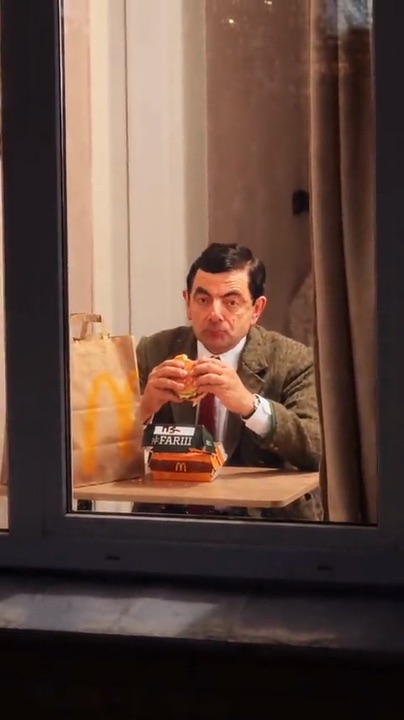
On TikTok

The window peeper AI videos on TikTok

Window peeper AI videos made with the same template: the push-in, the burger, the stare, the curtain. Is one of them the one you saw?

How to

How to make a Window Peeper AI video

Five steps from photo to post. There is no prompt to write and nothing to edit: the scene is already directed.

  1. 01

    Step 1: Add one photo

    Tap the photo slot and choose a clear picture of one adult: you, or a friend who said yes. Tap the ? beside the hint to see a sample photo that works for a window peeper AI video.

  2. 02

    Step 2: Tick the box

    Confirm the photo is you or an adult who agreed to it. If you sign in or buy credits next, your photo and the tick are still there when you come back.

  3. 03

    Step 3: Make it

    Press the button. The window peeper AI clip renders on its own; you can leave the page, and it waits for you in My videos.

  4. 04

    Step 4: Download it

    When it is done, tap Download MP4.

  5. 05

    Step 5: Post it on TikTok

    Upload it, add a short caption (there are some below), switch on the AI-generated content label and post.

Make my window burger
Sample photo of an adult, face clearYour photo
This scene: Window burgerThis scene
Your photo goes in, and this scene comes out with you in it.

Your photo

Window Peeper AI: which photo to use

A window peeper AI clip lives on one thing: your face in the stare. The camera looks at you through the glass the whole time, so a sharp, front-facing photo keeps the likeness when it matters most. Everyday clothes make it believable, the way the real thing would look through a neighbour’s window; a suit, a uniform or a bathrobe makes it funnier. Whatever you wear in the photo is what you wear at the table.

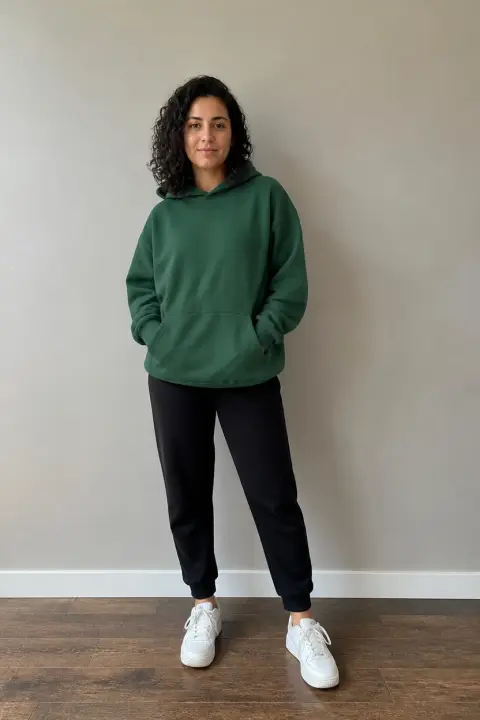
  • Sample photo: a young woman with dark curly hair in a green hoodie and joggers, standing, face clearly visible
    Clear face, good light
  • Face in shadowTryTurn toward a window
    Face in shadow
  • Heavy filterTryUse the original photo
    Heavy filter
  • Face too smallTryStep closer: waist-up or full length
    Face too small

Works

  • One adult, alone in the photo
  • Face clear and sharp, looking toward the camera
  • Waist-up at least; full length is fine
  • Indoor light or daylight, no heavy filters

Skip

  • Sunglasses, caps pulled low, masks
  • Group photos or a small face far away
  • Mirror selfies with the phone in front of the face
  • Children, public figures, anyone who has not agreed

Background

Where the Window Peeper AI trend came from

It moved fast, even by TikTok standards. These dates come from the posts themselves.

  1. October 20, 2026

    Famous faces in the window

    The first window peeper AI clips appear, with well-known faces behind the glass. The first was posted that morning and has passed two million plays.

  2. October 20, 2026

    Three million by the next day

    A version posted that evening becomes the most played of all and passes three million plays in under a day. The comments split between “this is real” and “look how fast he moves”.

  3. October 20, 2026

    Faces of their own

    TikTok users start posting their own window peeper AI clips, with themselves behind the glass instead of a famous face.

  4. October 22, 2026

    Still rising

    The trend is climbing in the US and Mexico with Halloween ten days away, but no window peeper Halloween version has caught on: none of the popular clips is scary, and the joke is still the stare.

Fixes

If your Window Peeper AI video looks off

Most problems come from the photo, not the scene. Here is what to change before you make another.

  • The face does not look like them

    Use a sharper, front-facing photo in good light, with the face large in the frame. The stare is the longest part of the clip, so a small or side-on face leaves the AI guessing.

  • The clothes are not the ones in my photo

    The clip keeps what the photo shows. If the photo stops at the chest, the AI fills in the rest; a waist-up or full-length photo keeps the outfit right.

  • Sunglasses or a cap came along

    Whatever is on the face in the photo stays on it in the window. Pick a picture without sunglasses, a low cap or a mask.

  • The photo will not upload

    Use a JPG, PNG or WEBP. iPhone photos saved as HEIC sometimes will not open in a browser; take a screenshot of the photo and upload that instead.

  • The video did not render

    Now and then a render fails. When it does, your credits go back to your balance on their own; add the photo again and press the button once more.

  • I closed the page while it was rendering

    Nothing is lost. The clip keeps rendering and waits in My videos, in the account menu, when it is done.

Posting

Posting your Window Peeper AI video

Short captions suit a window peeper AI clip best. The stare is the punchline, so the words should not explain it.

Hashtags

  • #windowpeeper
  • #windowburger
  • #aitrend
  • #aivideo
  • #pov
  • #midnightsnack
  • #halloween
  • #fyp
  • Post the whole clip

    Trimming the long stare kills the joke. Keep any text at the top of the frame, away from the face.

  • Label it as AI

    Turn on TikTok’s AI-generated content label. People will still argue about whether it is real, which is the fun, but nobody feels tricked.

  • Send it to them first

    If the person in the window is a friend, send it to them or the group chat before you post. They should see it before their boss does.

Pricing

Pay once, spend on any trend

One-time packs, no subscription. Credits never expire and come back if a render fails.

Starter

$9.90

15 credits per $1

150 credits

15 s of video

  • Trends, text and image to video
  • No watermark
  • Credits never expire
Most popular

Creator

$29.90

20 credits per $1 · 33% more

600 credits

1 min of video

  • Trends, text and image to video
  • No watermark
  • Credits never expire

Pro

$59.90

22.5 credits per $1 · 50% more

1,350 credits

2 min 15 s of video

  • Trends, text and image to video
  • No watermark
  • Credits never expire
Best value

Studio

$299

25 credits per $1 · 66% more

7,500 credits

12 min 30 s of video

  • Trends, text and image to video
  • No watermark
  • Credits never expire

Window Peeper AI video FAQ

How do I make the window peeper AI video?

Add one photo of yourself or an adult who agreed, tick the box and press the button at the top of this page. When the clip is ready, download it and post it on TikTok with the AI label on. The steps above go through it in order.

Do I need to install an app or import a template?

No. The window peeper AI generator runs in the browser on your phone or computer. There is nothing to install and no template to import; you sign in when you press the button.

Can two people sit at the table?

No. The window holds one person, so each video takes one photo. For two friends, make one each and post them side by side; a double stare is worth the extra video.

Can I put my dog or cat in the window?

Not in this window peeper AI version. The scene needs a person to hold the burger, stand up and pull the curtain, so the photo has to show one adult.

Can I use a photo of a celebrity, like the first versions?

No. Every photo has to show you or an adult who has agreed to it, never a public figure. It is funnier with someone your friends actually know anyway.

What happens to my photo?

It is used only to make your video and is deleted as soon as the render ends, whether it worked or not. The finished clip waits in My videos for you to download; it is not shown anywhere on this site, and nothing you upload is used to train models.

Why was my photo not accepted?

Usually it is the file type: use a JPG, PNG or WEBP. If an iPhone photo in HEIC will not open, screenshot it and upload the screenshot. Very large photos are made smaller for you before they upload.

Independent tool. Not affiliated with, endorsed by or connected to the TikTok creators who posted the trend, anyone shown in their videos, any restaurant brand, TikTok or any app. Videos are AI-generated; label them as AI when you post.