
Hit the Road Dude AI Video Generator

Make a Hit the Road Dude AI video from one photo. You lean out of the pickup, point at the fisherman and send him packing.

Private propertyFrom @oddframeco

Your photo

What it is

What is the Hit the Road Dude AI video?

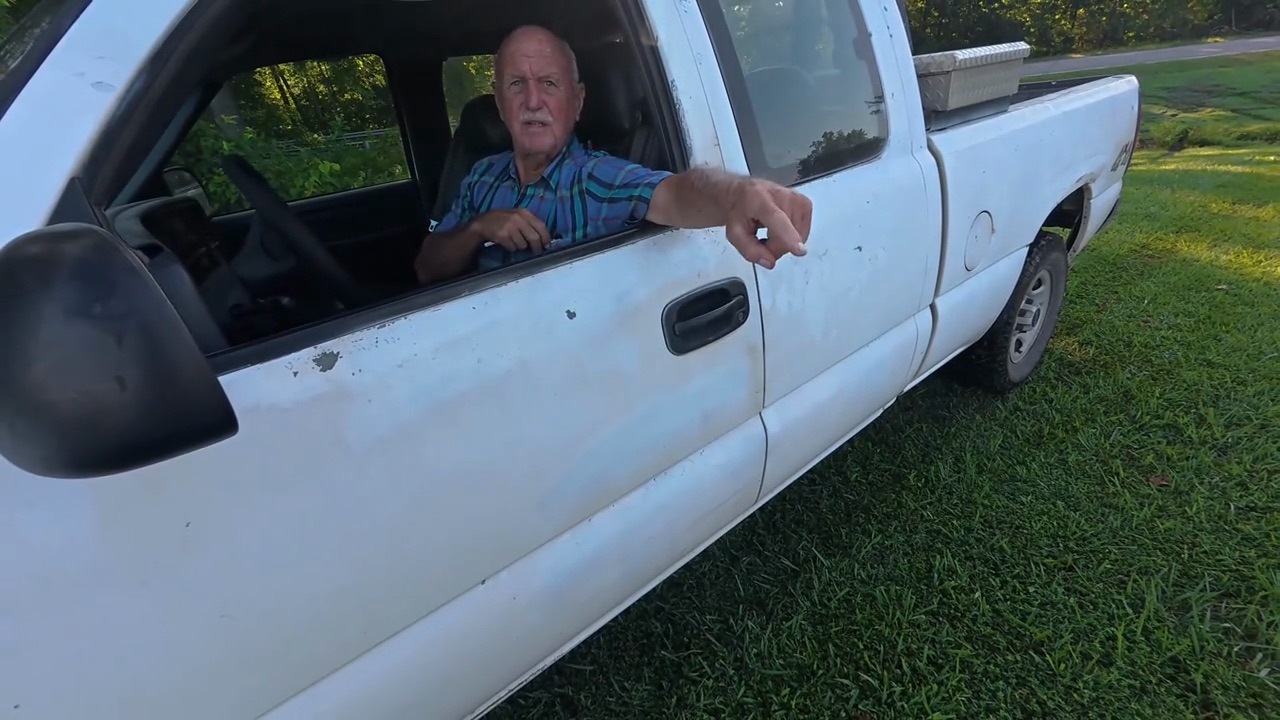
The Hit the Road Dude AI video puts you in the driver’s seat of the state property meme: an older man in a plaid shirt leans out of his white pickup and runs off a man fishing on his land. “State? This? State… hit the road, dude. This ain’t no state property, this is private property.” The clip spread on TikTok in late September 2026, and AI versions with other people and pets in the truck followed within days.

Here the driver is you, with your own face and hair; the truck, the plaid shirt and the lines come with the scene.

What happens, in order

  1. Who told you?1

    Who told you?

    Leaning on the door of your white pickup, you point at the man fishing on your land.

  2. “State? This?”2

    “State? This?”

    He says he thought it was state property. You repeat it back and wave at the field around you.

  3. Hit the road3

    Hit the road

    A flick of the thumb toward the road: hit the road, dude.

  4. Private property4

    Private property

    Back on the door, you set him straight: this ain’t no state property.
The original

The original Hit the Road Dude video

The Hit the Road Dude meme is a real clip, not AI. An older man in a plaid shirt leans out of his white pickup and tells a man fishing on his land: “State? This? Hit the road, dude. This ain't no state property, this is private property.”

A longer upload of the clip, about four minutes, appeared on TikTok on September 29, 2026; this is the part everyone quotes. Every Hit the Road Dude AI video keeps these lines and puts someone else in the driver seat.

@frmlsss🔥 409K

How to

How to make a Hit the Road Dude AI video

You do not need a truck or a plaid shirt. The scene and the lines come with it; you bring the photo.

Put me in the truck
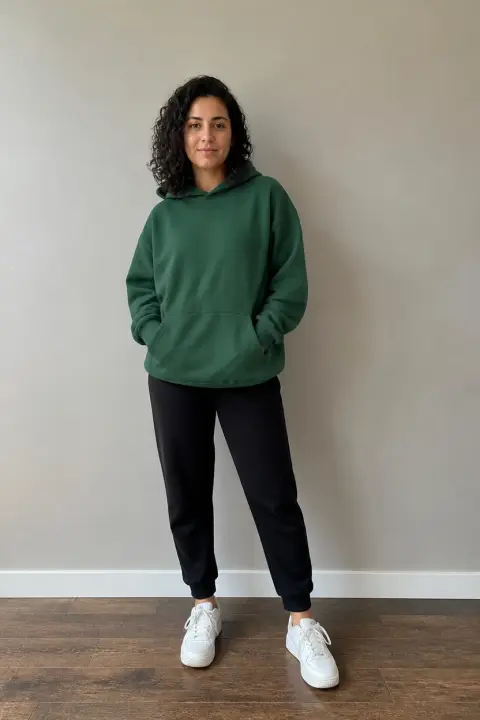
Sample photo of an adult, face clearYour photo
This scene: Private propertyThis scene
A photo goes in, and the truck window comes out with you in it.
  1. 01

    Step 1: Add a photo

    One subject, face clear.

  2. 02

    Step 2: Tick the box

    Confirm you have the right to use the photo.

  3. 03

    Step 3: Make it

    Press the button. The Hit the Road Dude AI video renders on its own; leave the page if you like and find it in My videos.

  4. 04

    Step 4: Download it

    Tap Download MP4.

  5. 05

    Step 5: Post it

    In TikTok, switch on the AI-generated content label and post. Tag the friend who never leaves.

Your photo

Hit the Road Dude AI: which photo to use

The camera stays close on the driver’s window, so your face is what carries the clip. A clear photo of your face in good light matters more than the rest; the plaid shirt comes with the scene.

  • Sample photo: a man in his forties in a red polo shirt, cargo shorts and sneakers, standing full length, face clearly visible
    Clear face, good light
  • Face in shadowTryTurn toward a window
    Face in shadow
  • Heavy filterTryUse the original photo
    Heavy filter
  • Face too smallTryStep closer: waist-up or full length
    Face too small

Works

  • One subject, alone in the photo
  • Face clear, looking toward the camera
  • Daylight or a bright room, no heavy filters

Skip

  • Group photos
  • Public figures
  • Sunglasses or a hand over the face
  • Dark or blurry shots

Background

Where the Hit the Road Dude AI video came from

A real clip of a landowner and a fisherman turned into the hit the road dude AI trend within a few weeks. Dates come from the TikTok posts and Google.

  1. September 28, 2026

    The original clip

    A repost of the truck clip, captioned “State this State… Hit the road Dude!”, passes 2.6 million plays.

  2. October 2, 2026

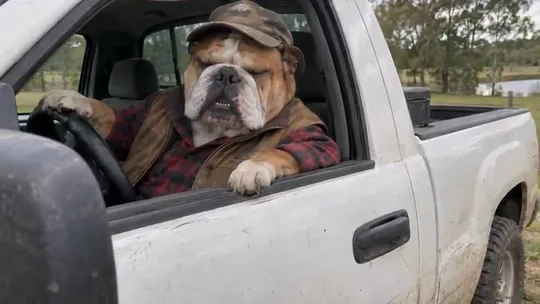
    A bulldog at the wheel

    An AI version puts a bulldog in a cap and a flannel shirt in the driver’s seat, pointing the way out.

  3. October 23, 2026

    Searched with AI

    “Hit the road dude AI” shows up in Google’s suggestions in the US.

  4. October 27, 2026

    Make your own

    Searches for a hit the road dude AI video generator and a template to make one follow on Google.

Fixes

If your Hit the Road Dude AI video looks off

The whole clip is a close-up through the truck window, so most problems start with the photo.

  • It does not look like me

    Use a sharp photo with your face clear and in good light, and make it again. A face far away in the frame gives the AI too little to go on.

  • I am wearing my own clothes, not the plaid shirt

    The plaid shirt is part of the scene, so it usually comes out. If your outfit wins, write “blue-and-green plaid short-sleeve shirt” in “Add your own details” and make it again.

  • My dog does not look like my dog

    Use a daylight photo where its face and markings show clearly, from the front, and make it again.

  • The photo will not upload

    Use a JPG, PNG or WEBP. iPhone photos saved as HEIC sometimes will not open in a browser; take a screenshot of the photo and upload that.

  • The video did not render

    If a render fails, the credits go back to your balance on their own. Add the photo again and press the button once more.

Posting

Posting your Hit the Road Dude AI video

The lines do the work. Keep the caption to the quote, tag the person in the truck, and add the words people search, like “hit the road dude meme AI” or “this is private property hit the road dude”.

Captions to copy

Hashtags

  • #hittheroaddude
  • #hittheroadmeme
  • #privateproperty
  • #stateproperty
  • #aivideo
  • #fyp
  • Say who is driving

    Tag the person in the truck. A friend everyone knows telling them off gets the most replies.

  • Label it as AI

    Turn on TikTok’s AI-generated content label. A friend in a plaid shirt guarding a pond will have people asking.

Pricing

Pay once, spend on any trend

One-time packs, no subscription. Credits never expire and come back if a render fails.

Starter

$9.90

15 credits per $1

150 credits

15 s of video

  • Trends, text and image to video
  • No watermark
  • Credits never expire
Most popular

Creator

$29.90

23.5 credits per $1 · 56% more

700 credits

1 min 10 s of video

  • Trends, text and image to video
  • No watermark
  • Credits never expire

Pro

$59.90

26.5 credits per $1 · 76% more

1,600 credits

2 min 40 s of video

  • Trends, text and image to video
  • No watermark
  • Credits never expire
Best value

Studio

$299

30 credits per $1 · 100% more

9,000 credits

15 min of video

  • Trends, text and image to video
  • No watermark
  • Credits never expire

Hit the Road Dude AI video FAQ

How do I make the Hit the Road Dude AI video?

Add one photo with the face clear, tick the box and press the button at the top of this page. When it is ready, download it and post it with the AI label on.

Do I need an app or the hit the road dude AI template?

No app and no template. The video is made from your photo, here in your browser.

What happens to my photo?

It is used only to make your video and is deleted when you delete the video. The finished clip is not shown anywhere on this site unless you share it, and nothing you upload is used to train models.

Independent tool. Not affiliated with or endorsed by the people in the original clip, the TikTok creators who posted the trend, TikTok or any app. Videos are AI-generated; label them as AI when you post.