Day of the Dead AI Video Generator

Make a Day of the Dead AI video from one photo of someone you lost, or a pet: they reach the checkpoint and are waved through to visit.

The checkpointFrom @ia_chiomora

1Pick a template

One photo of them: they reach the checkpoint, find their picture on the ofrenda and cross

2Their photo

One adult, alone, face clear. An old print photographed in daylight is fine.

What it is

What is the Day of the Dead AI video?

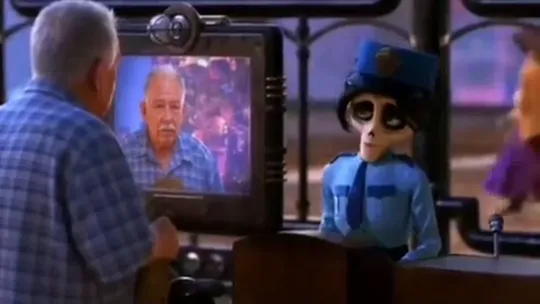
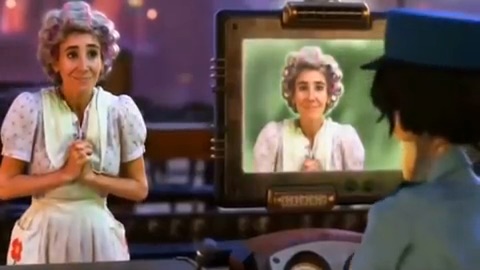
The Day of the Dead AI video, also known as the Día de Muertos AI or Día de los Muertos AI video, shows someone you lost coming home for the holiday, the way the holiday imagines it: every year families build an ofrenda with marigolds, candles, bread and their photos, so that for one night the dead can find their way back. The first clip of it appeared in Mexico on October 2, 2026: an older woman reaches a checkpoint between worlds, and a skeleton officer finds her photo on an altar and lets her through. The next day another one, an older woman holding her straw hat to her chest, with the caption “It’s her first Day of the Dead, be patient with her and help her if you can”, gave the remakes the sound they still use.

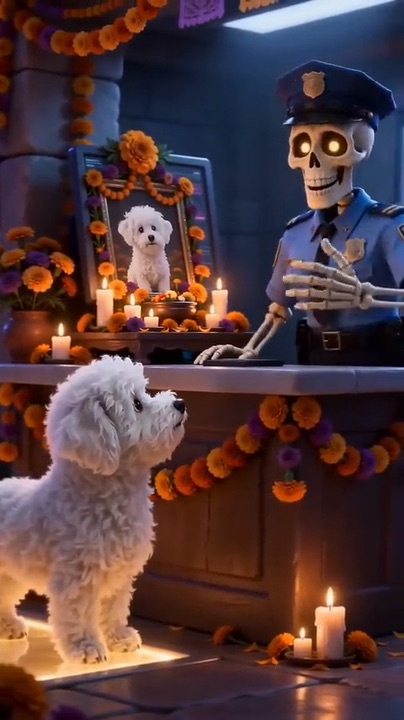
On October 12 came a version where they appear as light at the ofrenda and walk home along the marigolds, and the pet version, “My pet is coming home”, followed on October 13 with a small dog trotting up to the same counter; on October 20 came a glowing bridge of marigold petals they cross, stopping to gather a handful. In Mexico, searches for a Day of the Dead AI video reached their highest point of the past three months on October 20, with November 1 and 2 still ahead.
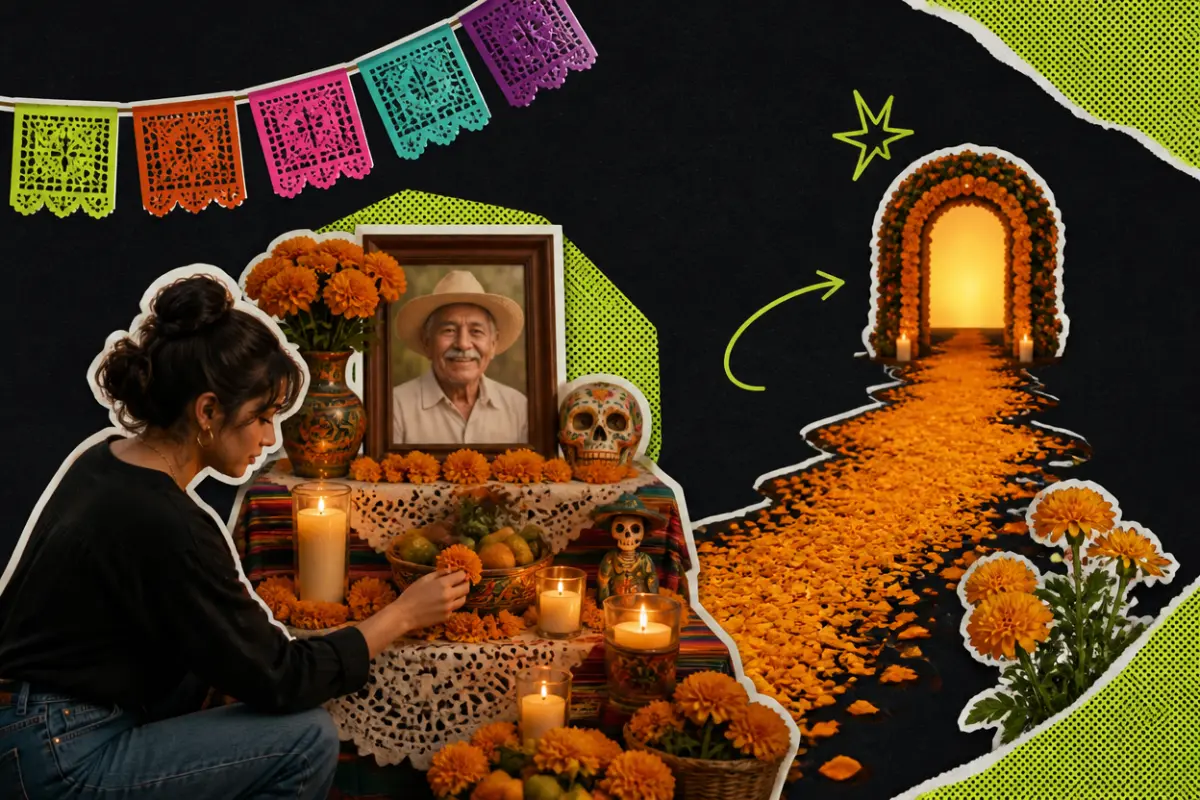
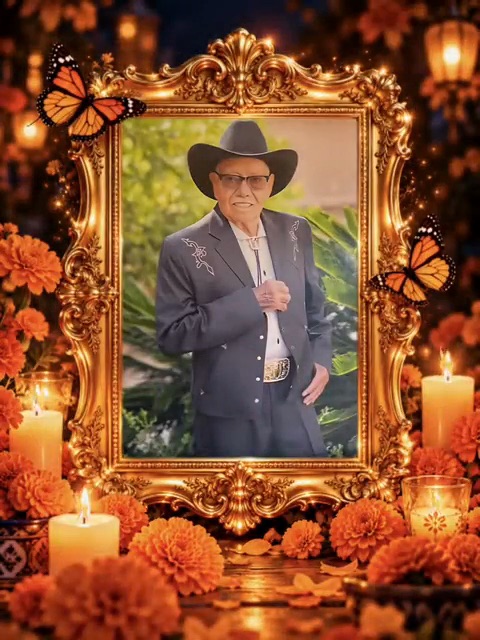
Collage: a woman lighting candles at a Day of the Dead altar with marigolds, papel picado and a framed photo of a smiling grandfather, a marigold path leading to a glowing arch

What happens, in order

  1. At the counter1

    At the counter

    They reach the checkpoint holding their hat to their chest, a little unsure, the way anyone is on a first visit.

  2. The scan2

    The scan

    A screen shows their face, then a soft green light scans across it.

  3. On the ofrenda3

    On the ofrenda

    The screen turns warm red and shows their photo on an altar of candles and marigolds. They are remembered, so they may cross.

  4. Waved through4

    Waved through

    The skeleton officer smiles and lifts a hand to let them through. In the pet version, the officer reaches out a hand and lets the little one pass under the marigold arches.
On TikTok

The Day of the Dead AI videos on TikTok

What people made with these templates: the checkpoint, a dog at the counter, the marigold bridge. Is one of them the AI Day of the Dead clip you saw?

@capcutmexico_🔥 520K
@marisolmoli28🔥 2.2M
@ia_chiomora🔥 486K
@kassandra.28🔥 276K

How to

How to make a Day of the Dead AI video

This Day of the Dead AI generator needs one photo, so take your time choosing it. The rest is already set: the place, the light and the way they move.

  1. 01

    Step 1: Choose the version

    Pick a template: The checkpoint, The marigold bridge or Coming home for a person, My pet is coming home for a pet.

  2. 02

    Step 2: Add their photo

    Tap the photo slot and choose one clear picture of them alone. An old print works if you photograph it flat in daylight; the tips below help you pick.

  3. 03

    Step 3: Confirm it is your family

    Tick the box to confirm this is your own family member, close friend or pet. Your photo and the tick stay put if you sign in or add credits along the way.

  4. 04

    Step 4: Make the video

    Press the button. The Day of the Dead AI video renders on its own; you can close the page and find it later in My videos.

  5. 05

    Step 5: Watch it on your own first

    Give yourself a quiet moment the first time. If it does not feel like them, try another photo; a clearer face usually changes the most.

  6. 06

    Step 6: Share it with care

    Download it and send it to family, or post it on TikTok with their name and the AI label switched on. Many people post it on November 1 or 2.

Make their Day of the Dead video
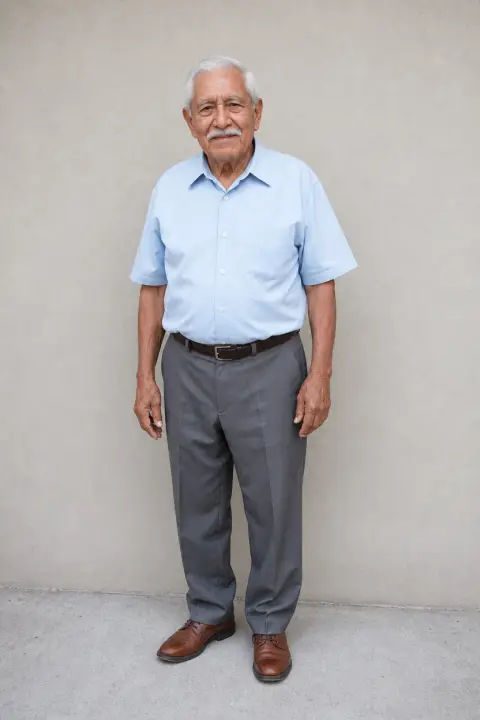
Sample photo of an adult, face clearTheir photo
This scene: The checkpointThis scene
Your photo goes in, and this scene comes out with you in it.

Your photo

Day of the Dead AI: which photo to use

The photo is all the AI has of them, so pick the one where they look most like themselves. A clear face matters more than a recent one: a favourite print, photographed flat in daylight without glare, often works better than a blurry phone picture. The Day of the Dead AI video keeps the clothes they wear in the picture, so the shirt he always wore or the apron she never took off comes along to the checkpoint. For the pet version, one clear photo of the animal on its own is enough.

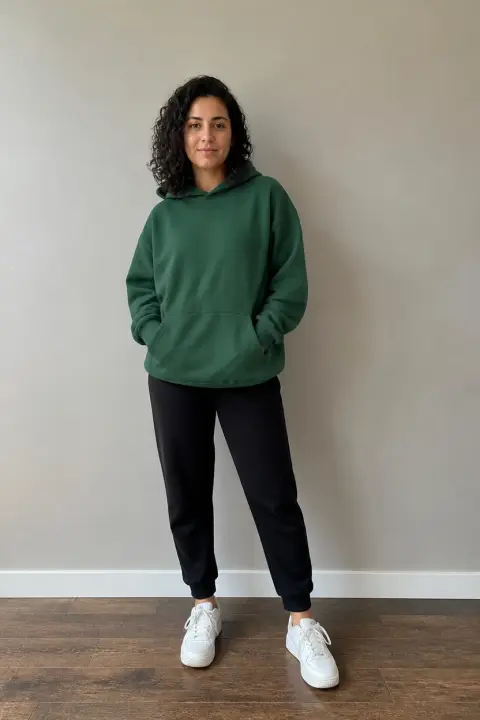
  • Sample photo: an older man with white hair and a moustache standing in a light blue shirt, face and clothes clearly visible
    Clear face, good light
  • Face in shadowTryTurn toward a window
    Face in shadow
  • Heavy filterTryUse the original photo
    Heavy filter
  • Face too smallTryStep closer: waist-up or full length
    Face too small

Works

  • One person or one animal, alone in the photo
  • Face clear, both eyes visible
  • Waist-up or full length; for pets, the whole body
  • An old print photographed flat, in daylight, without glare

Skip

  • Group photos where their face is small
  • Sunglasses, hats pulled low, blurred or turned faces
  • Screenshots with text, frames or stickers over them
  • Children, public figures, or anyone you are not family or close friends with

Background

Where the Day of the Dead AI trend came from

Families have always shared photos of their dead in November. Over the last two years, those photos started to move. Dates come from the TikTok posts and from news reports.

  1. Autumn 2024

    Photos that move

    In Mexico, a funeral home offered to animate photos of the dead for the Day of the Dead and received more than 15,000 requests, Rest of World reported that December.

  2. October 2025

    “It’s her first Day of the Dead”

    TikTok fills with photos of people who died that year and one request: it is their first Day of the Dead, do not let them cross alone.

  3. October 2, 2026

    The checkpoint

    The first Day of the Dead AI clip at the checkpoint is posted from Mexico: an older woman holding a straw hat, a skeleton officer, a screen that finds her photo. Within a day people are remaking it with their own family.

  4. October 12, 2026

    Coming home

    Another version follows: the loved one appears as light in front of the ofrenda, then walks home along the marigolds. It passes 1.4 million plays.

  5. October 13, 2026

    My pet is coming home

    The pet version of the Day of the Dead AI clip follows: a small dog at the same counter, finding its photo among the marigolds. It passes 1.5 million plays.

  6. October 20, 2026

    The marigold bridge

    A second template appears: a loved one crossing a glowing bridge of marigold petals and gathering them in both hands.

  7. October 20, 2026

    Searches peak in Mexico

    In Mexico, searches for a Day of the Dead AI video reach their highest point in three months, most of them asking how to make one.

  8. October 27 to November 2

    The nights ahead

    Many families set out the ofrenda for their pets on October 27, a date families adopted rather than an official one. November 1 is kept for children and November 2 for adults.

Fixes

If your Day of the Dead AI video looks off

It is hard to see someone you love look slightly wrong. Most of the time the photo is the reason, and a different one fixes it.

  • Their face looks different

    Choose the sharpest photo you have, facing the camera, with the face filling a good part of the frame. An older, clear photo does better than a recent, blurry one.

  • My copy of an old print has glare or looks washed out

    Photograph the print again flat on a table near a window, without flash, holding the phone straight above it. Crop out the frame or the album page.

  • They are wearing different clothes

    The video keeps the clothes in the photo. If the photo is a close-up of the face, the AI has to invent the rest; a waist-up or full-length photo keeps what they wore.

  • My pet does not look like my pet

    Check that My pet is coming home is selected, then use a photo of the animal alone where its whole body, its markings and both eyes are clear. Photos taken in the dark make it harder.

  • The photo will not upload

    Use a JPG, PNG or WEBP. iPhone photos saved as HEIC sometimes will not open in a browser; take a screenshot of the photo and upload that.

  • The video did not finish

    If a render fails, the credits return to your balance on their own. Add the photo again and press the button once more.

Posting

Posting your Day of the Dead AI video

There is no right caption. Many people write the name, the years and one line to them. A few to start from:

Captions to copy

Hashtags

  • #dayofthedead
  • #dayofthedeadai
  • #aivideo
  • #inlovingmemory
  • #missyou
  • #marigolds
  • #fyp
  • Send it to family first

    A Day of the Dead AI video of someone you lost can catch people off guard. Send it to the family before posting, especially to whoever was closest to them.

  • Add the AI label

    Turn on TikTok’s AI-generated content label. It is honest about what people are watching, and it keeps the post about them, not about whether it is real.

Pricing

Pay once, spend on any trend

One-time packs, no subscription. Credits never expire and come back if a render fails.

Starter

$9.90

15 credits per $1

150 credits

15 s of video

  • Trends, text and image to video
  • No watermark
  • Credits never expire
Most popular

Creator

$29.90

20 credits per $1 · 33% more

600 credits

1 min of video

  • Trends, text and image to video
  • No watermark
  • Credits never expire

Pro

$59.90

22.5 credits per $1 · 50% more

1,350 credits

2 min 15 s of video

  • Trends, text and image to video
  • No watermark
  • Credits never expire
Best value

Studio

$299

25 credits per $1 · 66% more

7,500 credits

12 min 30 s of video

  • Trends, text and image to video
  • No watermark
  • Credits never expire

Day of the Dead AI video FAQ

How do I make a Day of the Dead AI video from a photo?

No app or Day of the Dead AI filter is needed. Choose a version at the top of this page (three for a person, one for a pet), add one clear photo, tick the box and press the button. When it is ready, download it and share it. The steps above go through it slowly.

My only photo is old, faded or black and white. Will it work?

Usually, yes. Photograph the print flat in daylight, crop it so they fill most of the frame, and avoid reflections from glass. Black-and-white photos are fine. If their face is very small or blurred, the AI has to guess, and the likeness suffers, so choose the sharpest picture you have even if it is not the most recent.

Can I make one with both grandparents together?

Each Day of the Dead AI video takes one photo of one person, because the checkpoint scene has one traveller. For a couple, make one for each of them and post them one after the other; together they read like two people crossing on the same night.

Can I make one for my dog or cat?

Yes. Choose My pet is coming home and add a photo of your pet alone, ideally the whole body. Cats, rabbits and birds work too. Many families set out the pet ofrenda on October 27.

Can I make one for my child who passed away?

We are so sorry for your loss. Photos of children cannot be used on this site, even in memory. Many families set aside November 1 for their little ones, with white flowers, sweets and toys on the ofrenda; a photo of the altar you build for them can say what a clip cannot.

What happens to the photo I upload?

It is used only to make your video and is deleted as soon as the render ends, whether it worked or not. The finished clip waits in My videos for you to download; it is not shown anywhere on this site, and nothing you upload is used to train models.

Why was my photo not accepted?

Use a JPG, PNG or WEBP. iPhone photos saved as HEIC sometimes will not open in a browser, so take a screenshot of the photo and upload that. Very large photos are made smaller for you before they upload.

What if watching it hurts?

Psychologists quoted by Rest of World say an AI video of deceased loved ones can make grief last longer for some people. If watching it is painful, it is fine to stop and light a candle instead; you never have to post it.

Independent tool. Not affiliated with, endorsed by or connected to any film or animation studio, the TikTok creators who posted the trend, TikTok or any app. Videos are AI-generated; label them as AI when you post.