Cat Dance AI Video Generator

Make a Cat Dance AI video from one photo of your cat: it waves from a taxi window, leads a kitten crew or dances solo to the beat.

Taxi window danceFrom @cocoacat3

1Pick a template

One photo of your cat: it leans out of a taxi window at night in a tin-can hat and waves its paws to the beat

2Your cat

One cat, alone, face and ears clear. A dog or another pet works too.

What it is

What is the Cat Dance AI video?

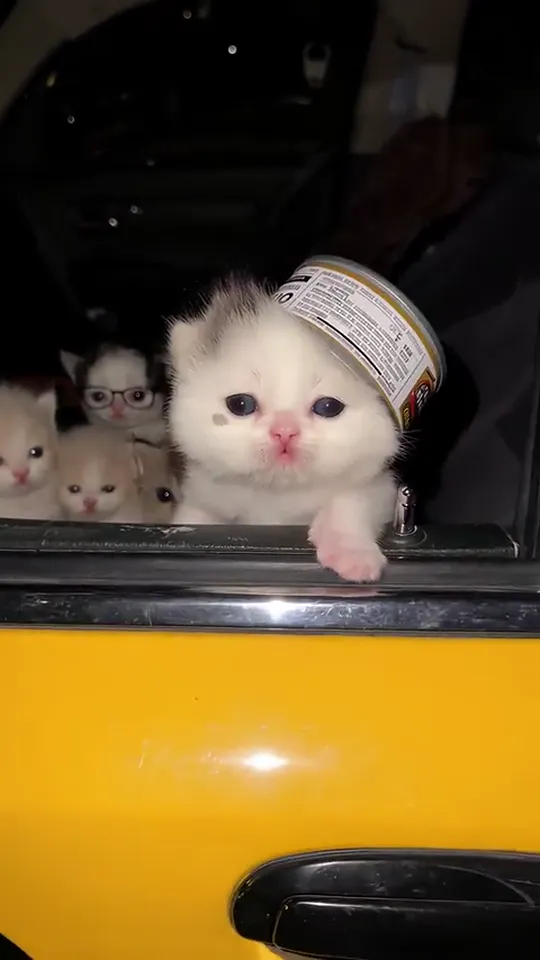
The Cat Dance AI video puts your cat in the back of a yellow taxi at night: the camera rolls up to the open window, and there it is, a tin can on its head like a hat, leaning out and waving its paws to the beat while a row of kittens in glasses watches from the back seat. This AI cat dance took off on TikTok on October 20, 2026, when a white kitten’s taxi ride passed a million plays in five days. Cats have been dancing on TikTok for years; this time the dancer can be yours.

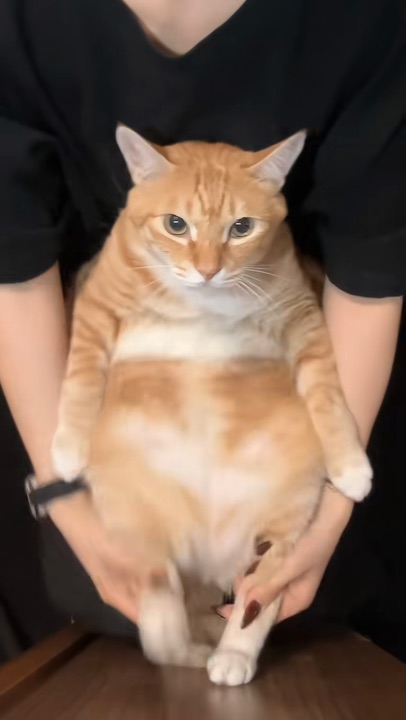
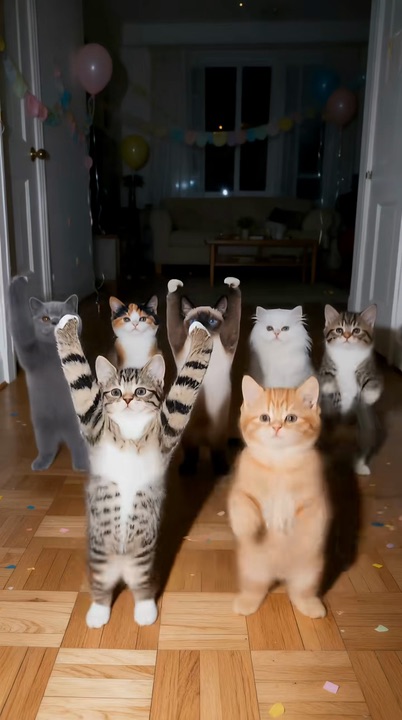
Here the cat at the window is your own, with its own fur, markings and face; the taxi, the hat and the back-seat crew come with the scene. A kitten or a grown cat both work, and a dog or another pet can take the window too. In the other versions your cat dances held up by a pair of hands, leads a crew of kittens in a living room at night, or dances solo for the camera.

What happens, in order

  1. The taxi1

    The taxi

    At night, the camera rolls up to a yellow taxi with its back window down and a small cat waiting inside.

  2. Leaning out2

    Leaning out

    Close at the window, your cat leans out with one paw hooked over the door and a tin can on its head like a hat.

  3. Paws to the beat3

    Paws to the beat

    It swings a paw out, bobs its head and opens its mouth like it is singing along.

  4. The wave4

    The wave

    Paw up, it waves at the camera while the kittens in glasses on the back seat look on.
On TikTok

The Cat Dance AI videos on TikTok

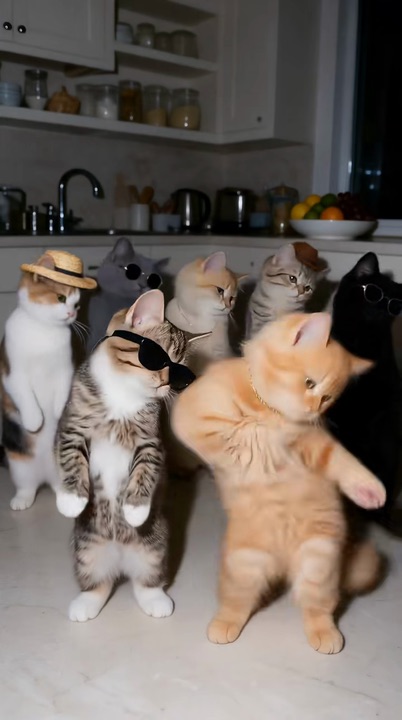
More Cat Dance AI versions from TikTok: the kitten crew and the held-up dance. Is one of them the one you saw?

@vizzion.ai🔥 1M
@rydrayn🔥 684K
@vizzion.ai🔥 368K

How to

How to make a Cat Dance AI video

Your cat does not need to dance, or even sit still. The place and the moves come from the version you pick; you bring the photo.

  1. 01

    Step 1: Pick a version

    The taxi window, the held-up dance, the kitten crew or the solo dance.

  2. 02

    Step 2: Add a photo of your cat

    One cat, alone, face and ears clear. Sitting, lying or standing all work.

  3. 03

    Step 3: Tick the box

    Confirm it is your pet or you may use the photo. Your photo and the tick are still there after signing in or adding credits.

  4. 04

    Step 4: Make it

    Press the button. The Cat Dance AI video renders on its own; leave the page if you like and find it in My videos.

  5. 05

    Step 5: Download it

    Tap Download MP4.

  6. 06

    Step 6: Post it

    In TikTok, switch on the AI-generated content label and post. Tag the people who know this cat.

Make my cat dance
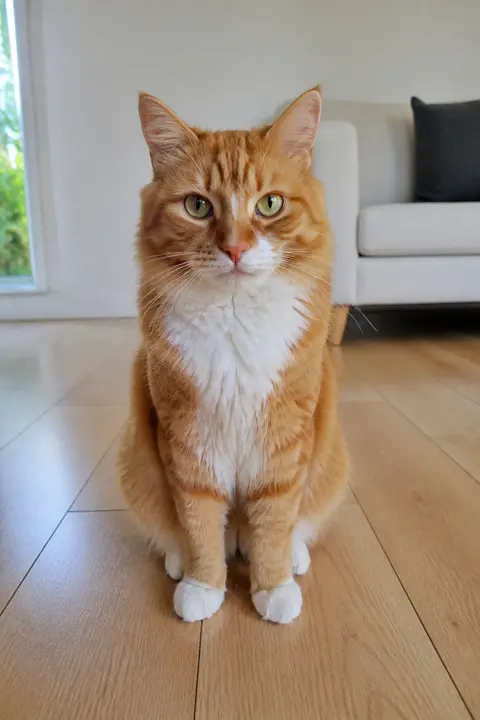
Sample photo: an orange tabby cat with a white chest and white paws sitting on a wooden floor in a bright living room, the whole cat in frame, face clearly visibleYour cat
This scene: Taxi window danceThis scene
A photo of your cat goes in, and this scene comes out with your cat at the window.

Your photo

Cat Dance AI: which photo to use

The photo is all the AI knows about your cat, so show it clearly: face, ears and fur in good light, the whole cat if you can. Its colors and markings carry over to the video, so a sharp photo matters more than a cute pose. One pet per photo; any other cats in a scene come with it.

  • Sample photo: an orange tabby cat with a white chest and white paws sitting on a wooden floor in a bright living room, the whole cat in frame, face clearly visible
    Clear face, good light
  • Face in shadowTryTurn toward a window
    Face in shadow
  • Heavy filterTryUse the original photo
    Heavy filter
  • Face too smallTryStep closer: waist-up or full length
    Face too small

Works

  • One cat or other pet, alone in the photo
  • Face and ears clear, eyes open
  • Daylight or a bright room, no heavy filters
  • The whole cat, or from the chest up

Skip

  • Several pets in one shot
  • People in the photo, children above all
  • A blurry shot of a cat on the move
  • Costumes or filters over its face

Background

Where the Cat Dance AI trend came from

AI cats have danced on TikTok for more than a year; this October brought a kitten crew, a taxi window and a cat held up to dance. Dates come from the TikTok posts and Google.

  1. August 7, 2025

    From space to a footstool

    An AI clip zooms down from space onto a kitten on a footstool, which stands up and dances. It passes 32 million plays.

  2. September 18, 2025

    Can your cat dance?

    A black-and-white cat dances on its hind legs across a kitchen floor under the question “Can your cat dance?” and passes 17 million plays.

  3. October 16, 2026

    The kitten crew

    A crew of kittens in bow ties dances on its hind legs on a living-room rug at night, two of them out in front. It passes 1.3 million plays.

  4. October 20, 2026

    The taxi window

    A white kitten in a tin-can hat leans out of a yellow taxi at night and waves its paws, kittens in glasses behind it. It passes a million plays within five days.

  5. October 22, 2026

    Held up and dancing

    A ginger cat in a knitted horned hat stands on a table while a pair of hands works its paws out wide and back. It passes 3.8 million plays.

  6. October 2026

    Your own pet

    Searches for a “cat dance AI video generator” and “pet dance AI” show up on Google as people look for a way to put their own cat in it.

Fixes

If your Cat Dance AI video looks off

The clip ends close on your cat’s face, so most problems start with the photo.

  • It does not look like my cat

    Use a sharp photo where the face and markings are clear, in good light, and make it again. A cat far away in the frame gives the AI too little to go on.

  • My cat came out the wrong color

    Each version starts from a cat of its own: a white kitten, a ginger cat, a tabby. If your cat’s colors fade into it, use a daylight photo where its fur and markings show clearly, and make it again.

  • There are two pets in the photo

    Crop it to one before you upload. Each video puts one pet in the lead; any other cats in the scene come with it.

  • The photo will not upload

    Use a JPG, PNG or WEBP. iPhone photos saved as HEIC sometimes will not open in a browser; take a screenshot of the photo and upload that.

  • The video did not render

    If a render fails, the credits go back to your balance on their own. Add the photo again and press the button once more.

Posting

Posting your Cat Dance AI video

A Cat Dance AI clip is funnier when people know the cat. Say its name, keep the caption short and let the wave do the rest.

Captions to copy

Hashtags

  • #catdance
  • #cat
  • #pet
  • #catsoftiktok
  • #dancingcat
  • #aicat
  • #aivideo
  • #fyp
  • Say whose cat it is

    Put the cat’s name at the top of the frame, or tag its people. A cat everyone knows gets the most replies.

  • Label it as AI

    Turn on TikTok’s AI-generated content label. A cat in a tin-can hat waving from a taxi will have people asking.

Pricing

Pay once, spend on any trend

One-time packs, no subscription. Credits never expire and come back if a render fails.

Starter

$9.90

15 credits per $1

150 credits

15 s of video

  • Trends, text and image to video
  • No watermark
  • Credits never expire
Most popular

Creator

$29.90

20 credits per $1 · 33% more

600 credits

1 min of video

  • Trends, text and image to video
  • No watermark
  • Credits never expire

Pro

$59.90

22.5 credits per $1 · 50% more

1,350 credits

2 min 15 s of video

  • Trends, text and image to video
  • No watermark
  • Credits never expire
Best value

Studio

$299

25 credits per $1 · 66% more

7,500 credits

12 min 30 s of video

  • Trends, text and image to video
  • No watermark
  • Credits never expire

Cat Dance AI video FAQ

How do I make the Cat Dance AI video?

Add one photo of your cat with its face clear, tick the box and press the button at the top of this page. When it is ready, download it and post it with the AI label on.

Do I need an app or a cat dance AI filter?

No app and no filter. Every version is made from your photo, here in your browser.

Does my cat have to dance or stand up in the photo?

No. The moves come from the version you pick, and so do the taxi, the hats and the other cats. Your cat’s face, fur and markings come from the photo, so any pose works as long as it is sharp.

Can I use a dog or another pet?

Yes. It works as a pet dance AI for any furry face: for a dog dance AI video, add a photo of your dog with its face and ears clear, and it takes the cat’s place in whichever version you pick.

Can two of my cats be in it?

Each video takes one photo, so one pet takes the lead; in the kitten crew, the cat dancing beside it and the crew behind come with the scene. For two cats, make one each and post them back to back.

What happens to my photo?

It is used only to make your video and is deleted as soon as the render ends, whether it worked or not. The finished clip waits in My videos for you to download; it is not shown anywhere on this site, and nothing you upload is used to train models.

Why was my photo refused?

Use a JPG, PNG or WEBP. iPhone photos saved as HEIC sometimes will not open in a browser, so take a screenshot of the photo and upload that. Very large photos are made smaller for you before they upload.

Independent tool. Not affiliated with or endorsed by the TikTok creators who posted the trend, any taxi company, TikTok or any app. Videos are AI-generated; label them as AI when you post.