

Traitors AI Video Generator

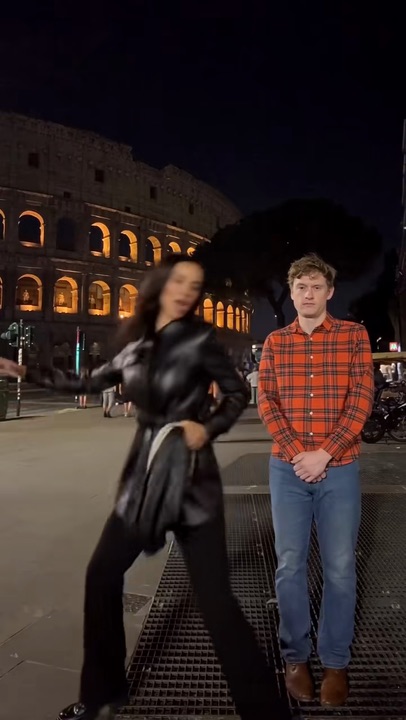
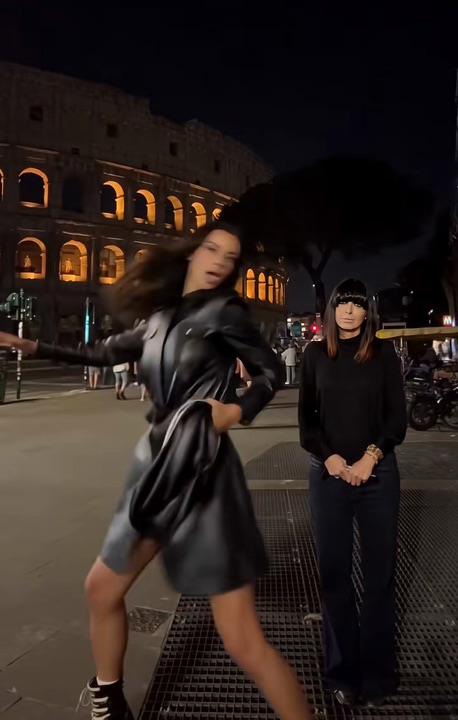
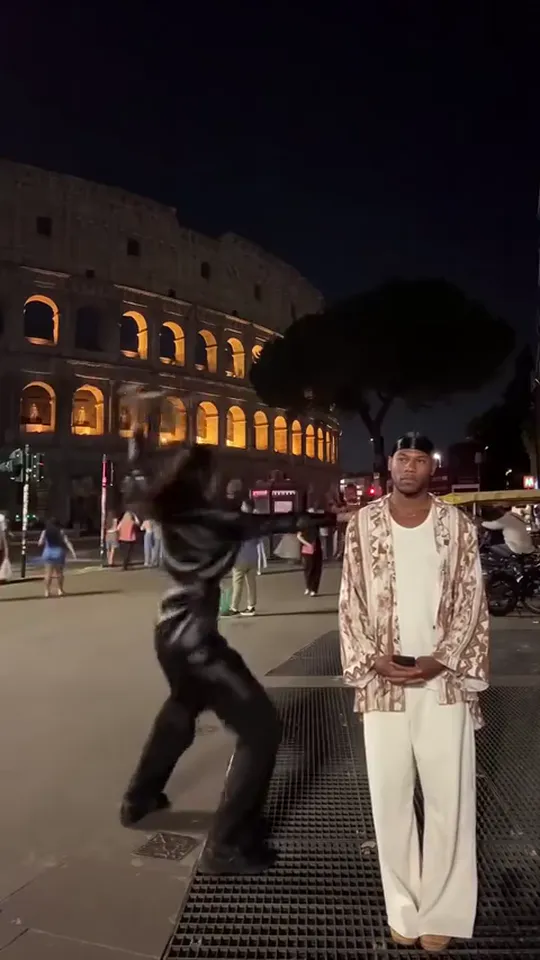
Make the Traitors AI video with a friend. One of you dances by the Colosseum at night, the other stands perfectly still.

Colosseum danceFrom @daisytemplates00

Your photos

What it is

What is the Traitors AI video?

The Traitors AI video is the dance clip that went round UK TikTok during The Celebrity Traitors in October 2026: at night in front of the Colosseum, one person sings right into the camera and then dances like nobody is watching, while the friend beside them stands perfectly still. The Traitors AI versions people shared put faces from the show into both parts, and the most watched has passed 860,000 plays. Under them, one of the most liked comments asks for the two to be swapped.

Here the two of them are you and a friend, from one photo of you both or a photo each: the one on the left dances and the other will not move, each in their own clothes. The night in Rome, the dance and the flying jacket come with the scene, and who dances is up to you.

What happens, in order

  1. Into the camera1

    Into the camera

    Up close at night, the dancer sings right into the lens and laughs, while the friend stands behind on the right, hands folded.

  2. The dance2

    The dance

    Cut to the wide shot by the Colosseum: the dancer jumps, kicks and swings both arms, and the friend stays exactly where they are.

  3. Right beside them3

    Right beside them

    The dancer spins in close, arms wide, almost in the friend’s face. Not a flicker.

  4. Jacket off4

    Jacket off

    Off comes the jacket and the dance only gets bigger, all the way up to the camera.

  5. The catch5

    The catch

    The jacket flies up, the friend catches it and holds it, still not dancing, while the dancer keeps going.
On TikTok

Traitors AI videos on TikTok

The same dance with other faces from the show, the host among them: one dances, one will not move. Is one of them the one you saw?

How to

How to make a Traitors AI video

One photo and no dance practice. The night in Rome, the moves and the jacket come with the scene; you decide who dances and who stands still.

Make our Traitors AI video
Sample photo of an adult, face clearThe dancer
Sample photo of an adult, face clearThe one standing still
This scene: Colosseum danceThis scene
Your two photos go in, and this scene comes out with both of them in it.
  1. 01

    Step 1: Add your photo together

    The two of you side by side, faces clear: the one on the left dances, the one on the right stands still and ends up holding the jacket.

  2. 02

    Step 2: Or a photo each

    Pick “A photo each” and add the dancer first, then the friend who does not move a muscle.

  3. 03

    Step 3: Tick the box

    Confirm you have the right to use the photos.

  4. 04

    Step 4: Make it

    Press the button. The Traitors AI video renders on its own; leave the page if you like and find it in My videos.

  5. 05

    Step 5: Download and post

    Tap Download MP4, then post it on TikTok with the AI-generated content label on and both of you tagged.

Your photo

Traitors AI: which photos to use

Both faces are seen: the dancer up close at the start, the friend at full length the whole time. Use one photo of the two of you side by side, the dancer on the left, or a photo each; either way, sharp and front-on faces matter most. Everyone keeps the clothes from the photo, so down to the knees or full length gives the AI the whole outfit.

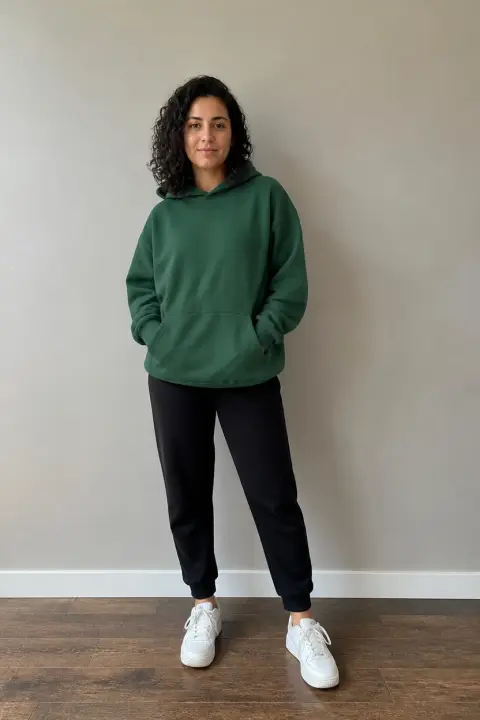
  • Sample photo: a young woman with dark curly hair in a green hoodie and joggers, standing, face clearly visible
    Clear face, good light
  • Face in shadowTryTurn toward a window
    Face in shadow
  • Heavy filterTryUse the original photo
    Heavy filter
  • Face too smallTryStep closer: waist-up or full length
    Face too small

Works

  • The two of you side by side, or one subject per photo
  • Face clear and front-on, eyes open
  • Full length, or at least down to the knees
  • Daylight or a bright room, no heavy filters

Skip

  • More than two in the photo
  • Sunglasses, hats pulled low or faces in shadow
  • Photos of celebrities or the cast of the show

Background

Where the Traitors AI videos came from

The Celebrity Traitors ran through October 2026, and the AI clips of its faces arrived about three weeks in. Dates come from the TikTok posts.

  1. October 2, 2026

    The Celebrity Traitors is back

    As the show returns, a BBC clip from The Celebrity Traitors passes four million plays on TikTok, and fans start cutting their own edits of the cast.

  2. October 19, 2026

    The cast starts dancing

    An AI clip puts three faces from the show in a car park, dancing, and passes 400,000 plays.

  3. October 24, 2026

    The dance in Rome

    An AI clip has one face from the show singing and dancing in front of the Colosseum at night while another stands beside them without moving. It passes half a million plays, and a version with the show’s host standing still follows that evening.

  4. October 25, 2026

    The most watched one

    Another pair from the show takes the two parts and passes 860,000 plays, its comments full of people asking whether it is real.

  5. October 25, 2026

    With their own faces

    A fan of the show posts the dance with her own face in it: she “couldn’t resist this, even though the dancer doesn’t look like me”.

Fixes

If your Traitors AI video looks off

Two parts, one or two photos: when something looks wrong in a Traitors AI clip, it is usually one face in them.

  • We ended up in the wrong parts

    In a photo together the one on the left dances; with a photo each, the first one dances. Swap places, or the two photos, and make it again.

  • A face does not look right

    The dancer is seen up close at the start and the friend at full length all the way through. Use a sharp, front-on photo of each subject alone, with no sunglasses and no filter that smooths the face.

  • Our clothes changed

    Everyone wears what they wear in their photo. A close-up of a face leaves the outfit to the AI; use photos down to the knees or full length.

  • Someone else showed up

    Keep the photo to the two of you, or one subject per photo. The people far behind in the street are part of the scene.

  • A photo will not upload

    Use a JPG, PNG or WEBP. iPhone photos saved as HEIC sometimes will not open in a browser; take a screenshot of the photo and upload that.

  • The video did not render

    If a render fails, the credits go back to your balance on their own. Add the photos again and press the button once more.

Posting

Posting your Traitors AI video

A Traitors AI video lands when people know who refuses to dance. Tag you both and keep the caption short.

Captions to copy

Hashtags

  • #traitors
  • #celebritytraitors
  • #thetraitors
  • #traitorsuk
  • #aivideo
  • #dance
  • #fyp
  • Tag the one who won’t dance

    The joke is the one who does not move. Tag them, and let them answer in the comments.

  • Use the words people search

    People look for these as “Traitors AI filter” or “celebrity Traitors AI”; one of them in your caption helps the right people find it.

  • Label it as AI

    Turn on TikTok’s AI-generated content label. It looks like a real night out in Rome, and nobody should think it was.

Pricing

Pay once, spend on any trend

One-time packs, no subscription. Credits never expire and come back if a render fails.

Starter

$9.90

15 credits per $1

150 credits

15 s of video

  • Trends, text and image to video
  • No watermark
  • Credits never expire
Most popular

Creator

$29.90

23.5 credits per $1 · 56% more

700 credits

1 min 10 s of video

  • Trends, text and image to video
  • No watermark
  • Credits never expire

Pro

$59.90

26.5 credits per $1 · 76% more

1,600 credits

2 min 40 s of video

  • Trends, text and image to video
  • No watermark
  • Credits never expire
Best value

Studio

$299

30 credits per $1 · 100% more

9,000 credits

15 min of video

  • Trends, text and image to video
  • No watermark
  • Credits never expire

Traitors AI video FAQ

How do I make the Traitors AI video?

Add a photo of the two of you, or a photo each, tick the box and press the button at the top of this page. When it is ready, download it and post it with the AI label on.

Do I need an app or a Traitors filter?

No app and no filter. What people on TikTok call the Traitors AI filter is a video made from photos, not a camera effect, and this page makes it in your browser from your photos.

Can we swap who dances and who stands still?

Yes. In a photo together the one on the left dances; with a photo each, the first photo dances. Swap places and make it again.

Can we use one photo of the two of us?

Yes, that is the default: the two of you side by side, faces clear, the dancer on the left. Make it with a friend, a partner, a brother or a sister; it is funnier when people know the one who will not move.

Can I use photos of the cast or other celebrities?

No. Celebrities and public figures are not accepted.

What happens to our photos?

They are used only to make your video and are deleted when you delete it. The finished video is not shown anywhere on this site unless you share it, and nothing you upload is used to train models.

Independent tool. Not affiliated with, endorsed by or connected to the BBC, Studio Lambert, The Traitors or The Celebrity Traitors, the host or cast of the show, the creators of the TikTok versions, TikTok or any app. Videos are AI-generated; label them as AI when you post.