AI Zombie Video Generator

Make an AI zombie video from two photos: your partner has turned into a zombie, and you lower the gun and hold them anyway.

Would you still love me?From @sinifreak

2Your photos

1Pick a template

Two photos: your partner has turned, you lower the gun and hold them, then you hug in the sun

2Your photos

What it is

What is the AI zombie video?

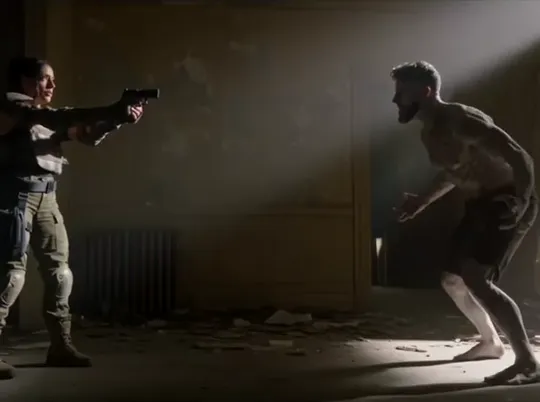
The AI zombie video is a short zombie love story built on one question: would you still love me if I were a zombie? In a ruined room you aim a gun at your partner, who has turned, gray-skinned and snarling; in tears, you lower it, they run at you, and you hold them. Then the dark is gone, and the two of you hug in a sunny field of flowers.

There is a pet version too: you lower the gun and stroke your dog or cat instead. Couples post it as their answer to the question, and pet owners post it for the animal they would never give up.

What happens, in order

  1. The gun1

    The gun

    In a dark, ruined room, you aim a gun at the doorway, tears running down your face.

  2. The zombie2

    The zombie

    Your partner has turned: gray skin, clouded eyes, bared teeth.

  3. You lower it3

    You lower it

    You close your eyes and slowly lower the gun.

  4. The hug4

    The hug

    They run at you, and you hold them.

  5. In the sun5

    In the sun

    Dressed for your wedding, the two of you hug in a field of flowers, laughing.
On TikTok

AI zombie videos on TikTok

The same scene, made by people on TikTok with their own photos.

How to

How to make an AI zombie video

Two photos and one choice, the couple or the pet version. The ruined room, the zombie and the sunny ending are already set.

  1. 01

    Step 1: Pick a version

    The couple version is picked for you; switch to the pet version for a dog or a cat.

  2. 02

    Step 2: Add your photo

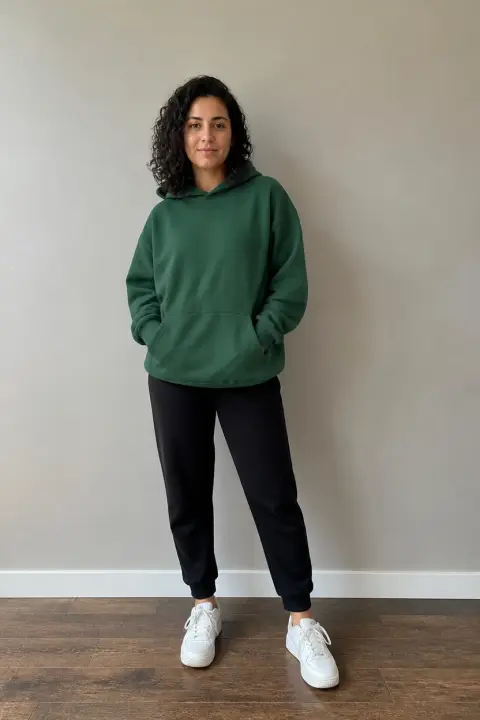
    The first slot is you, the one holding the gun: you alone, face clear, waist-up or more.

  3. 03

    Step 3: Add their photo

    The second slot is the one who turns: your partner alone, or your dog or cat in the pet version.

  4. 04

    Step 4: Tick the box and make it

    Confirm you may use the photos, then press the button. Your AI zombie video renders on its own; leave the page if you like and find it in My videos. The photos and the tick stay in place if you sign in or add credits.

  5. 05

    Step 5: Download and post

    Tap Download MP4, and switch on TikTok’s AI-generated content label when you post.

Make my AI zombie video
Sample photo of an adult, face clearYou
Sample photo of an adult, face clearYour partner
This scene: Would you still love me?This scene
Your two photos go in, and this scene comes out with both of them in it.

Your photo

AI zombie video: which photos to use

Your photo becomes the one holding the gun, in tears; theirs becomes the one who turns, gray-skinned at first and themselves again in the sun at the end. Both faces are seen up close, so a sharp, front-facing photo of each person alone matters most. In the pet version, the second photo is your dog or cat alone, with its face and body clear.

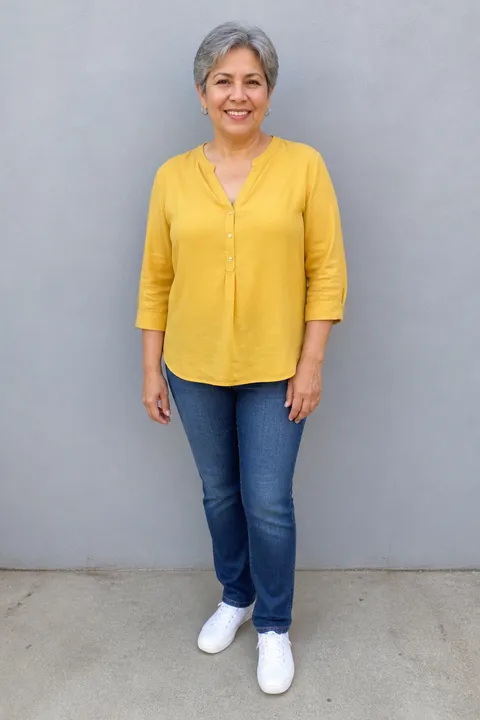
  • Sample photo: a woman in her sixties with short gray hair in a mustard blouse, jeans and sneakers, standing full length, face clearly visible
    Clear face, good light
  • Face in shadowTryTurn toward a window
    Face in shadow
  • Heavy filterTryUse the original photo
    Heavy filter
  • Face too smallTryStep closer: waist-up or full length
    Face too small

Works

  • You alone, face clear, waist-up or more
  • Your partner alone, the same way
  • Pet version: your dog or cat alone, whole and in focus
  • Daylight, no heavy filters, text or stickers

Skip

  • One photo with both of you in it (crop them apart)
  • Sunglasses, masks, faces in shadow or turned away
  • Children, public figures, or anyone who has not agreed to be in it
  • A pet far away, blurred or half out of the frame

Background

Where the AI zombie video trend came from

The AI zombie trend is a zombie love story that couples and pet owners made their own in October 2026. Dates come from the TikTok posts.

  1. October 1, 2026

    Couples join in

    A husband posts the version he made with his wife: she aims at him in a ruined room, he has turned, and they end up hugging in a field of flowers. “So beautiful yet so sad,” he writes; it passes 800,000 plays.

  2. October 3, 2026

    The dog version

    The same scene with a dog: a woman in tears lowers her gun and strokes her dog, who has turned. It passes 1.5 million plays.

  3. Early October 2026

    The question on screen

    Posts start carrying the line “Would you still love me if I were a zombie?”, and couples answer it with their own photos.

  4. October 19, 2026

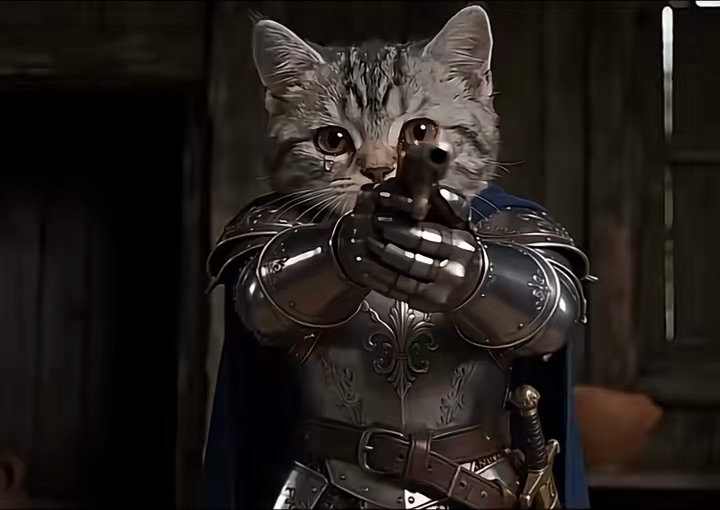
    Cats in armor

    A version with two cats in knights’ armor follows, captioned “If you’re a zombie then I’m a zombie too”; it passes 270,000 plays.

  5. Late October 2026

    Before Halloween

    New versions with couples and pets keep appearing as Halloween comes closer.

Fixes

If your AI zombie video looks off

Almost everything comes back to the two photos.

  • The wrong one of us turned

    The second photo is the one who turns. Swap the two photos and make it again.

  • Their face looks different

    They are seen up close twice, as a zombie and in the sun at the end. Start from a sharp, front-facing photo of them alone; a side profile or a face in shadow leaves the AI guessing.

  • My pet looks like another animal

    Use a photo of your dog or cat alone, face and body clear, in daylight. A pet far away or half out of the frame leaves the breed and the coat to the AI.

  • Someone else showed up

    Each photo should have one person in it. Crop a group photo around the one person you want.

  • The photo will not upload

    Use a JPG, PNG or WEBP. iPhone photos saved as HEIC sometimes will not open in a browser; take a screenshot of the photo and upload that.

  • The video did not finish

    If a render fails, the credits go back to your balance on their own. Add the photos again and press the button once more.

Posting

Posting your AI zombie video

Most people post it with the question on screen and tag the one who turned. A few lines others used:

Captions to copy

Hashtags

  • #zombie
  • #zombielove
  • #aizombietrend
  • #zombieapocalypse
  • #zombiedog
  • #emotional
  • #aivideo
  • #fyp
  • Tag the one who turned

    Let them answer the question in the comments; that is half the fun.

  • Use the words people search

    People look for these as “zombie love story AI”, “zombie AI video” or “zombie couple hug AI”; one of them in your caption helps the right people find it.

  • Label it as AI

    Turn on TikTok’s AI-generated content label. It looks like a film scene, and nobody should think it is real footage.

Pricing

Pay once, spend on any trend

One-time packs, no subscription. Credits never expire and come back if a render fails.

Starter

$9.90

15 credits per $1

150 credits

15 s of video

  • Trends, text and image to video
  • No watermark
  • Credits never expire
Most popular

Creator

$29.90

23.5 credits per $1 · 56% more

700 credits

1 min 10 s of video

  • Trends, text and image to video
  • No watermark
  • Credits never expire

Pro

$59.90

26.5 credits per $1 · 76% more

1,600 credits

2 min 40 s of video

  • Trends, text and image to video
  • No watermark
  • Credits never expire
Best value

Studio

$299

30 credits per $1 · 100% more

9,000 credits

15 min of video

  • Trends, text and image to video
  • No watermark
  • Credits never expire

AI Zombie Video FAQ

How do I make an AI zombie video?

Use the AI zombie video generator at the top of this page: pick the couple or the pet version, add the two photos, tick the box and press the button. When it is ready, download it from My videos and post it with the AI label on.

Do I need an app?

No. It runs in your browser, on a phone or a computer; there is no app and no filter to find.

Can I make it with my dog or cat?

Yes. Pick the pet version and add your photo and one of your dog or cat: you lower the gun and stroke your pet, who has turned. Use a photo of the animal alone, face and body clear.

Which photos work best?

For each person: one adult alone, face clear and front-facing, waist-up or more, in daylight. Both faces are seen up close, in tears and as a zombie, so a sharp face matters most; skip sunglasses and heavy filters.

Can I be the one who turns into a zombie?

Yes. The first photo is the one holding the gun and the second is the one who turns, so put your photo second and theirs first.

Who can be in it?

Two adults who both agreed to be in it: your partner, a friend, a brother or a sister. Photos of children and of public figures are not accepted.

Why was my photo refused?

A photo of a child or a public figure is not accepted. Otherwise, use a JPG, PNG or WEBP: iPhone photos saved as HEIC sometimes will not open in a browser, so take a screenshot of the photo and upload that. If the video itself cannot be made, the credits go back to your balance on their own.

What happens to my photos?

They are used only to make your video and are deleted as soon as it is finished; if the video could not be made, they are deleted within 24 hours. The finished video waits in My videos for you to download, it is shown nowhere on this site unless you share it, and nothing you upload is used to train models.

Independent tool. Not affiliated with, endorsed by or connected to the TikTok creators who posted the trend, TikTok or any app. Videos are AI-generated; label them as AI when you post.