



365 Elevator AI Video Generator

Make the 365 elevator AI video with a friend. You sing to the camera while they walk in, put in an earphone and stand beside you.

The 365 elevatorFrom @neoausdermatrix33

Make the 365 elevator AI video with a friend. You sing to the camera while they walk in, put in an earphone and stand beside you.

Your photos

What it is

What is the 365 elevator trend?

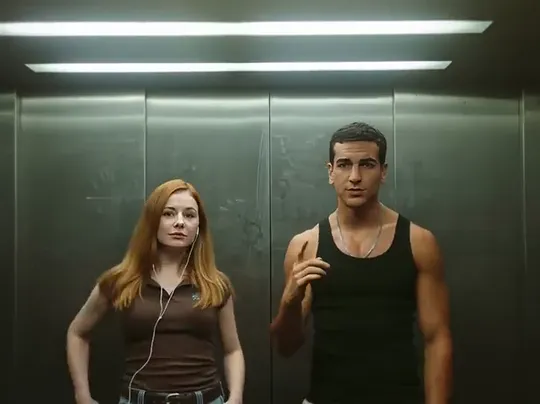
365 Elevator AI puts you and a friend in the elevator from the 365 elevator trend. One of you sings straight to the camera; the other walks in, turns round, puts in an earphone and stands there without a word.

On TikTok the 365 elevator edit became an unexpected duo 365 game: editors swap famous pairs into the scene and ask who should be stuck in the elevator next. The template here brings the elevator, the moves and the timing, and the faces and clothes come from your photos. It is a fan meme with no link to the people in the posts.
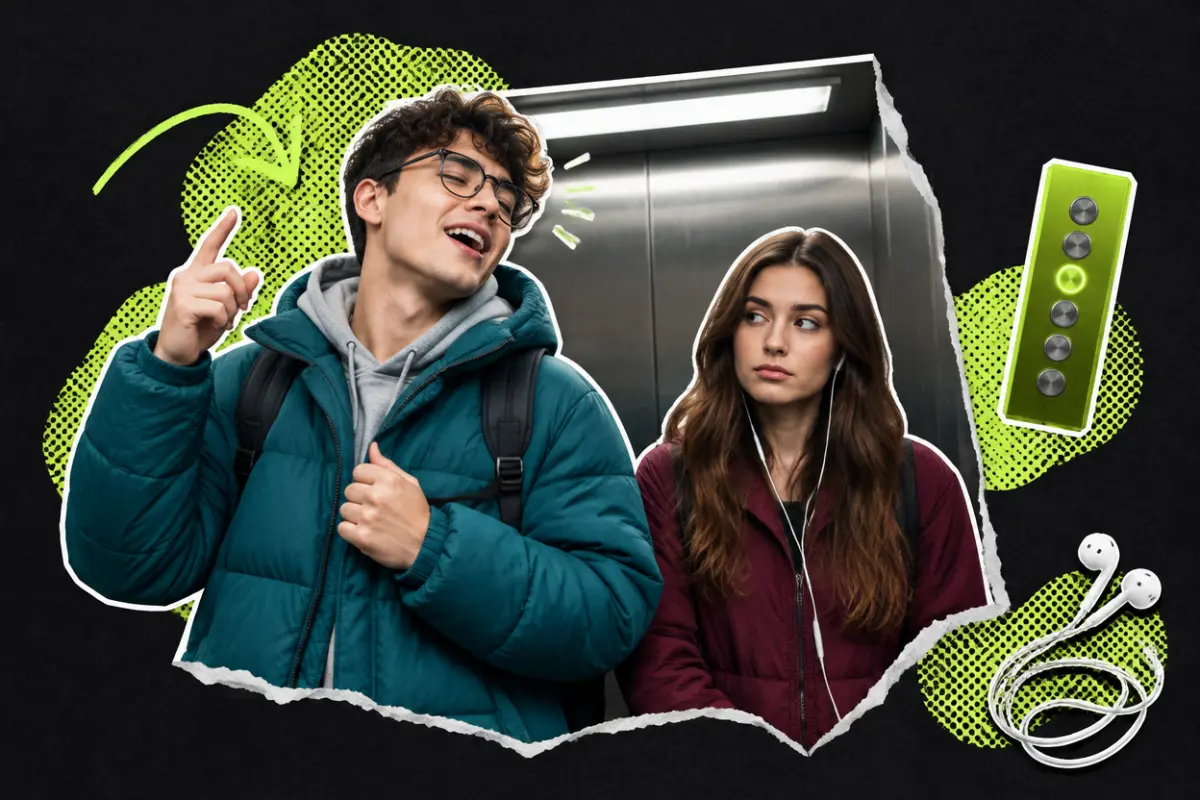
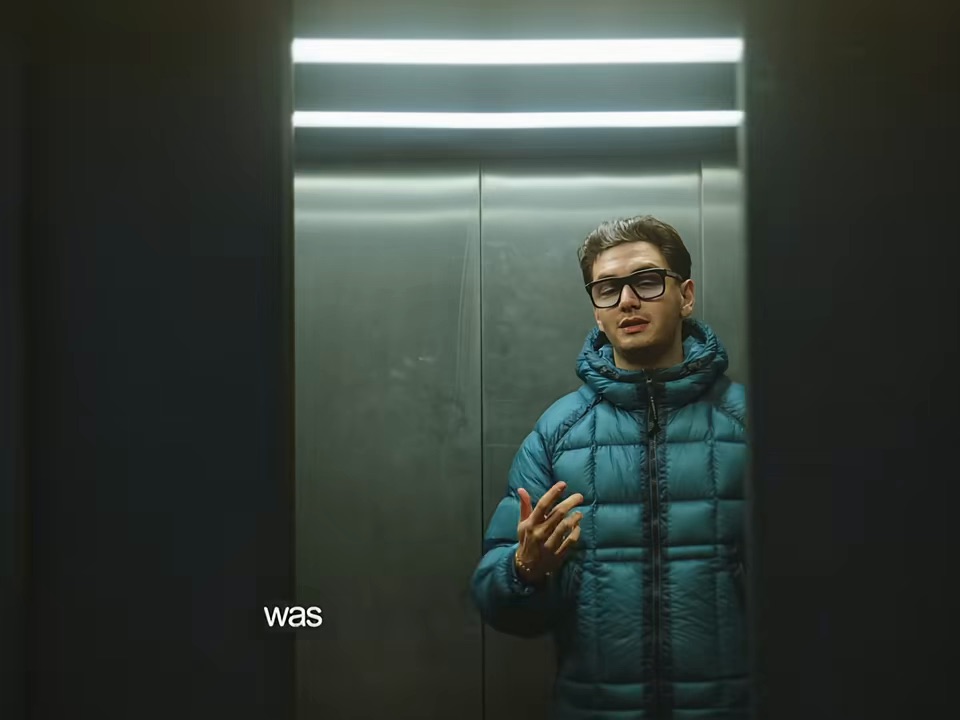
Collage: a young man in glasses and a teal puffer jacket singing in a steel elevator, a young woman with long hair and white earphones beside him giving a side-eye, a lime button panel and a coiled earphone cable

What happens, in order

  1. Alone in the elevator1

    Alone in the elevator

    You start singing to the camera, one hand on your chest.

  2. Someone walks in2

    Someone walks in

    Your friend steps in with their back to the camera.

  3. Earphone in3

    Earphone in

    They turn round, put in an earphone and check their phone.

  4. Side by side4

    Side by side

    You keep singing while they stare ahead, deadpan.

The original

The original 365 elevator scene

The 365 elevator scene is not from the movie 365 Days. It comes from a post by the German artist @sampagnebaby on November 10, 2026. In a steel elevator, a young man in glasses and a teal puffer jacket mouths “365 Tage” to the camera while a young woman in a burgundy jacket walks in, puts in her earphones and stands beside him. It passed 900,000 plays, and the AI swaps began ten days later.

@sampagnebaby🔥 935K

On TikTok

The 365 elevator meme on TikTok

The same elevator with other unexpected duos. Editors keep asking “which duo next?” and fill it with TV partners and football rivals.

How to

How to make the 365 elevator AI video

Here is how to make the 365 elevator video with AI, or your own unexpected duo 365 edit, from two photos. The elevator, the moves and the timing come with the template.

Make our elevator video
Sample photo of an adult, face clearYou, the one singing
Sample photo of an adult, face clearFriend who walks in
This scene: The 365 elevatorThis scene
Your two photos go in, and this scene comes out with both of them in it.
  1. 01

    Step 1: Add your photo

    One subject, face clear. You are the one singing on the right.

  2. 02

    Step 2: Add your friend

    Their photo, or one photo of you two together.

  3. 03

    Step 3: Add your own details, if you like

    Other outfits, a hotel elevator or warmer light.

  4. 04

    Step 4: Make it

    Press the button. The video renders on its own; find it in My videos.

  5. 05

    Step 5: Download and post

    Tap Download MP4, then post it with the AI-generated content label on.

Your photo

Which photos to use for the 365 elevator AI template

You both stand facing the camera from the waist up, so a sharp, front-on face in good light matters most. Faces, hair and clothes come from the photos.

  • Sample photo: a young man with short dark curly hair in a white track jacket and black joggers, standing and smiling, face clearly visible
    Clear face, good light
  • Face in shadowTryTurn toward a window
    Face in shadow
  • Heavy filterTryUse the original photo
    Heavy filter
  • Face too smallTryStep closer: waist-up or full length
    Face too small

Works

  • One subject in each photo
  • Face clear, front-on and uncovered
  • Waist up or full length
  • Good light, no heavy filters

Skip

  • Sunglasses, masks or a hand over the face
  • A group photo where the faces are tiny
  • Dark or blurry shots

Background

Where the 365 elevator trend came from

How elevator 365 went from one German post to a wall of duos. The dates come from the TikTok posts.

  1. November 10, 2026

    The original

    A German artist posts the elevator scene. He sings to the camera while a young woman with earphones walks in and stands beside him.

  2. November 20, 2026

    The first swaps

    An AI editor puts other pairs in the same elevator. Two football rivals pass a million plays.

  3. November 21–23, 2026

    Which duo next?

    Followers ask for their favourite TV couples and film characters, and several swaps pass a million plays. One passes two million on November 22.

  4. November 23–25, 2026

    Everyone wants in

    How-to videos for the 365 elevator AI edit spread, more than twenty a day, and people ask how to put themselves and their friends in it.

Fixes

If your 365 elevator AI video looks off

Most problems start with the photos.

  • It does not look like us

    Use sharp photos with the faces front-on and uncovered, in good light, and make it again.

  • The clothes are not ours

    Clothes come from each photo. A head-and-shoulders photo leaves the rest to guesswork, so use one that shows what is being worn.

  • We are on the wrong sides

    You sing on the right and your friend walks in on the left. In a photo together, stand the same way, your friend on the left.

  • A photo will not upload

    Use a JPG, PNG or WEBP. If an iPhone photo will not open, upload a screenshot of it.

  • The video did not render

    The credits go back on their own. Add the photos again and press the button.

Posting

Posting your 365 elevator meme

Add the words people search, like “365 elevator”, “365 elevator trend” or “365 tage”.

Captions to copy

Hashtags

  • #365elevator
  • #365elevatortrend
  • #365tage
  • #365
  • #aivideo
  • #fyp
  • Label it as AI

    Switch on TikTok’s AI-generated content label before you post.

Pricing

Pay once, spend on any trend

One-time packs, no subscription. Credits never expire and come back if a render fails.

Starter

$9.90

15 credits per $1

150 credits

15 s of video

  • Trends, text and image to video
  • No watermark
  • Credits never expire
Most popular

Creator

$29.90

23.5 credits per $1 · 56% more

700 credits

1 min 10 s of video

  • Trends, text and image to video
  • No watermark
  • Credits never expire

Pro

$59.90

26.5 credits per $1 · 76% more

1,600 credits

2 min 40 s of video

  • Trends, text and image to video
  • No watermark
  • Credits never expire
Best value

Studio

$299

30 credits per $1 · 100% more

9,000 credits

15 min of video

  • Trends, text and image to video
  • No watermark
  • Credits never expire

365 Elevator AI video FAQ

How do I make a 365 elevator AI video?

Add your photo and your friend’s, or one photo of you both, and press the button at the top of this page. When it is ready, download it and post it with the AI label on.

Is the 365 elevator scene from the movie 365 Days?

No. Many people look for the 365 days elevator scene, but the trend comes from a German artist’s post of November 10, 2026, and the 365 is what he mouths in it. Some edits do put the film’s couple in the elevator.

Do I need a subscription, an app or a 365 elevator template?

No subscription and no app. The template is on this page, and it all happens in your browser, on a phone or a computer. Each video uses credits, and if one does not render they go back on their own.

Who can I put in the elevator with me?

Anyone whose photo you have the right to use: your partner, a sibling, your best friend. Use photos of yourselves, not of famous people.

What happens to my photos?

They are used only to make your video and are deleted when you delete the video. Nothing you upload is used to train models.

Independent, unofficial tool. Not affiliated with or endorsed by the artists or creators of the posts, the people shown in them, the film 365 Days or its makers, TikTok or any app. Videos are AI-generated; label them as AI when you post.