LEGO Car AI Video Generator

Make a LEGO car AI video from one photo of your car: toy-brick workers blast it with water, bury it in foam and scrub it until it shines.

The LEGO car washFrom @armando.h132

Your vehicle

One car, truck or motorbike, the whole of it, in daylight. Mud is welcome.

What it is

What is the LEGO Car AI video?

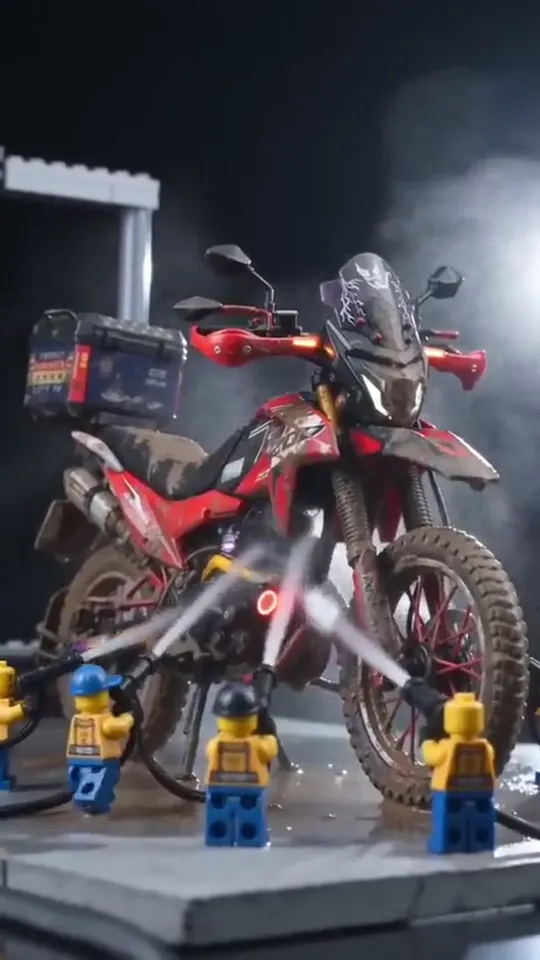
The LEGO car AI video shrinks your car, truck or motorbike to toy size and sends it through a car wash run by tiny toy-brick workers: a hand sets it down, the workers blast the mud off with water jets, bury it in foam, scrub it and rinse it until it shines. The LEGO car wash took off on TikTok in October 2026; the most-watched AI version, posted on October 12, washes a muddy red dirt bike and passed 340,000 plays.

It works for anything with wheels: a family car, a pickup, a work van or a motorbike, mud and all. Your vehicle keeps its own shape, color and stickers; only the size changes, and the wash bay, the foam and the crew are the toy part.
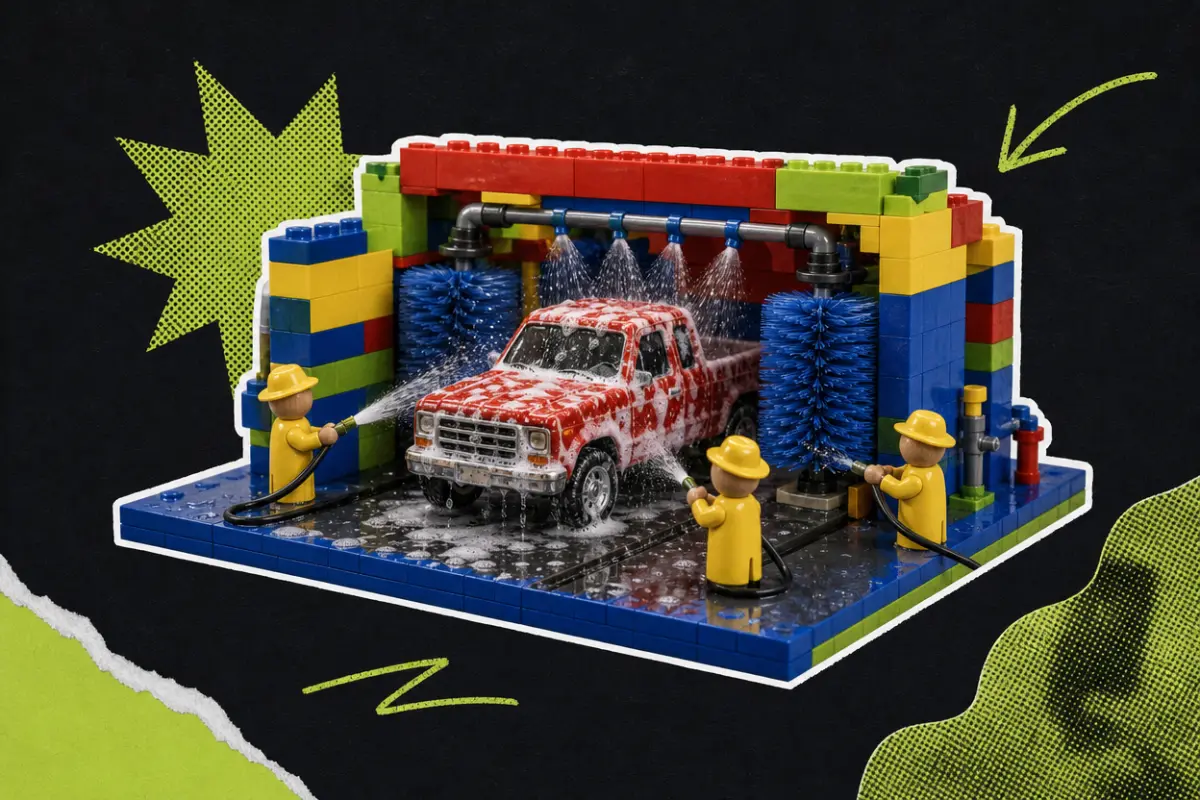
Collage: a miniature car wash built from colourful toy bricks, where little toy workers in yellow raincoats hose down a red pickup truck covered in foam between two spinning blue brushes

What happens, in order

  1. Set down1

    Set down

    A real hand sets your muddy vehicle on a small grey stand against a black background.

  2. Water jets2

    Water jets

    In a tiny wash bay, toy-brick workers in yellow tops and blue caps blast the mud off with high-pressure jets.

  3. Foam3

    Foam

    A thick stream of white foam pours down until your vehicle disappears under it.

  4. The brush4

    The brush

    Up close, a worker in a blue cap scrubs the windscreen and the body with a brush.

  5. The shine5

    The shine

    Rinsed from above, your vehicle stands clean and glossy in the bay, workers on both sides and the wet floor reflecting it.

How to

How to make a LEGO Car AI video

One photo of your vehicle. The wash bay, the workers and the foam are already in the scene.

  1. 01

    Step 1: Add a photo of your vehicle

    The whole car, truck or motorbike, in daylight. Mud is welcome.

  2. 02

    Step 2: Tick the box

    Confirm it is your vehicle or you may use the photo. Your photo and the tick are still there after signing in or adding credits.

  3. 03

    Step 3: Make it

    Press the button. The LEGO car AI video renders on its own; leave the page if you like and find it in My videos.

  4. 04

    Step 4: Download it

    Tap Download MP4.

  5. 05

    Step 5: Post it

    In TikTok, switch on the AI-generated content label and post.

Wash my car
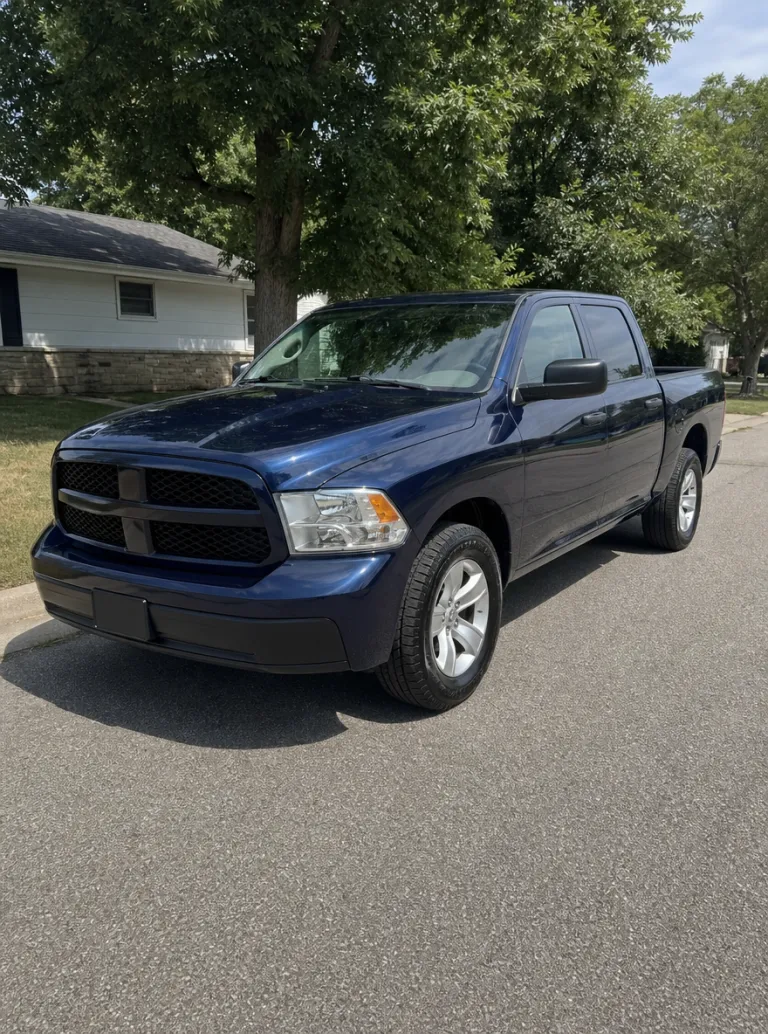
Sample photo: a dark-blue pickup truck parked on a quiet street in daylight, seen from the front three-quarter, the whole truck in frameYour vehicle
This scene: The LEGO car washThis scene
A photo of your car goes in, and this scene comes out with your car in it.

Your photo

LEGO Car AI: which photo to use

The photo is all the AI knows about your vehicle, so show the whole of it: from the front three-quarter or the side, in daylight, nothing cut off at the edges. Mud and scratches are fine, even good: the wash is funnier when there is something to wash. Keep people out of the shot; the toy workers are the only crew in the video.

  • Sample photo: a dark-blue pickup truck parked on a quiet street in daylight, seen from the front three-quarter, the whole truck in frame
    Clear face, good light
  • Face in shadowTryTurn toward a window
    Face in shadow
  • Heavy filterTryUse the original photo
    Heavy filter
  • Face too smallTryStep closer: waist-up or full length
    Face too small

Works

  • The whole vehicle in frame
  • Front three-quarter or side view
  • Daylight, no heavy filters
  • Cars, pickups, vans or motorbikes

Skip

  • Close-ups of one part, like a wheel
  • People standing in front of it
  • Photos of a screen or a brochure
  • Night shots with the headlights glaring

Background

Where the LEGO Car AI trend came from

A toy car wash that took over car and motorbike TikTok in October 2026. Dates come from the TikTok posts.

  1. October 12, 2026

    A muddy dirt bike

    An AI version washes a muddy red dirt bike in a toy-brick car wash and passes 340,000 plays.

  2. October 19–20, 2026

    Pickups and work trucks

    The LEGO car wash spreads across TikTok in Spanish and English, with pickups, work trucks and family cars getting the toy treatment.

  3. October 2026

    People look for a way to make one

    Searches for a “LEGO AI video generator” show up on Google as people look for a way to make their own.

Fixes

If your LEGO Car AI video looks off

Almost everything comes back to the photo of the vehicle.

  • It is not my model

    Use a photo of the whole vehicle from the front three-quarter or the side, in daylight. A close-up of one part leaves the rest to the AI.

  • The color is wrong

    Night shots and heavy filters change the paint. Use a daylight photo with no filter.

  • My stickers are missing

    Small details need a sharp photo. Use the clearest one you have, close enough that the stickers can be read.

  • A person showed up

    Use a photo with nobody standing near the vehicle; the toy workers should be the only crew in the scene.

  • The photo will not upload

    Use a JPG, PNG or WEBP. iPhone photos saved as HEIC sometimes will not open in a browser; take a screenshot of the photo and upload that.

  • The video did not render

    If a render fails, the credits go back to your balance on their own. Add the photo again and press the button once more.

Posting

Posting your LEGO Car AI video

Car and bike TikTok loves a before and after: post the LEGO car wash with a photo of the real vehicle, or right after it.

Captions to copy

Hashtags

  • #legocarwash
  • #carwash
  • #truck
  • #moto
  • #aivideo
  • #aitrend
  • #cartok
  • #fyp
  • Show the real one

    Post a photo of the real vehicle next to it, or right before it: the size change is the joke.

  • Label it as AI

    Turn on TikTok’s AI-generated content label. The wash looks real, and nobody should think your car really shrank.

Pricing

Pay once, spend on any trend

One-time packs, no subscription. Credits never expire and come back if a render fails.

Starter

$9.90

15 credits per $1

150 credits

15 s of video

  • Trends, text and image to video
  • No watermark
  • Credits never expire
Most popular

Creator

$29.90

20 credits per $1 · 33% more

600 credits

1 min of video

  • Trends, text and image to video
  • No watermark
  • Credits never expire

Pro

$59.90

22.5 credits per $1 · 50% more

1,350 credits

2 min 15 s of video

  • Trends, text and image to video
  • No watermark
  • Credits never expire
Best value

Studio

$299

25 credits per $1 · 66% more

7,500 credits

12 min 30 s of video

  • Trends, text and image to video
  • No watermark
  • Credits never expire

LEGO Car AI video FAQ

How do I make the LEGO car AI video?

Add one photo of your car, truck or motorbike, tick the box and press the button at the top of this page. When it is ready, download it and post it with the AI label on. The steps above go through it in order.

Do I need to download an app?

No. This LEGO car AI generator runs in your browser, right on this page; there is no app and no filter to find.

Will it make a LEGO version of my car?

Your car keeps its real shape, color and stickers, shrunk to toy size. The toy-brick part is the wash bay, the foam and the crew of tiny workers around it.

Does it work with a motorbike or a truck?

Yes. Cars, pickups, work trucks, vans and motorbikes all go through the same wash. Use a photo that shows the whole vehicle.

Can I use a photo with me next to my car?

Use one with nobody in it. A person standing near the vehicle can end up in the scene, and the toy workers should be the only crew there.

Can I use a photo of a car I found online?

Use a photo of your own vehicle, or one you have the right to use.

What happens to my photo?

It is used only to make your video and is deleted as soon as it finishes rendering, whether it worked or not. The finished video waits in My videos for you to download; it is never shown anywhere on this site, and nothing you upload is used to train models.

Why was my photo refused?

Use a JPG, PNG or WEBP. iPhone photos saved as HEIC sometimes will not open in a browser, so take a screenshot of the photo and upload that. If a photo is very large, it is made smaller for you before it uploads.

Independent tool. Not affiliated with or endorsed by the LEGO Group, the creators of the TikTok versions, TikTok or any app. LEGO is a trademark of the LEGO Group. Videos are AI-generated; label them as AI when you post.