Need for Speed AI Video Generator

Make a Need for Speed AI video from one photo of your car. It drifts, burns out and races through the movie’s street chase, shot for shot.

The street chaseFrom @z32.blake

Your car

What it is

What is the Need for Speed AI video?

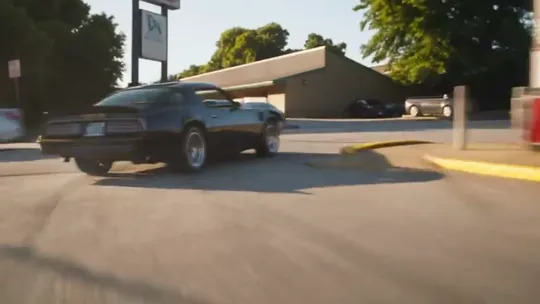
A Need for Speed AI video puts your own car into the street chase from the 2014 Need for Speed film. It spins around a corner in tire smoke, flies past two men at a railing, burns out through a drive-through and races off down the road, shot for shot like the movie.

The trend took off on car TikTok in November 2026, with owners swapping a Trans Am, a Camaro, a Mustang or a pickup into the scene. Here the town, the stunts and the camera moves come with the template; the car is the one in your photo.

What happens, in order

  1. The cyclist1

    The cyclist

    A cyclist rides past up front as your car comes up the road behind him.

  2. The corner2

    The corner

    A wide shot: it spins around a corner in a cloud of tire smoke.

  3. The railing3

    The railing

    Two men at a railing jump back as it flies past.

  4. The burnout4

    The burnout

    From behind, a burnout through a drive-through lane.

  5. The drift5

    The drift

    It drifts out of the lot and into the street.
The original

The Need for Speed scene behind the trend

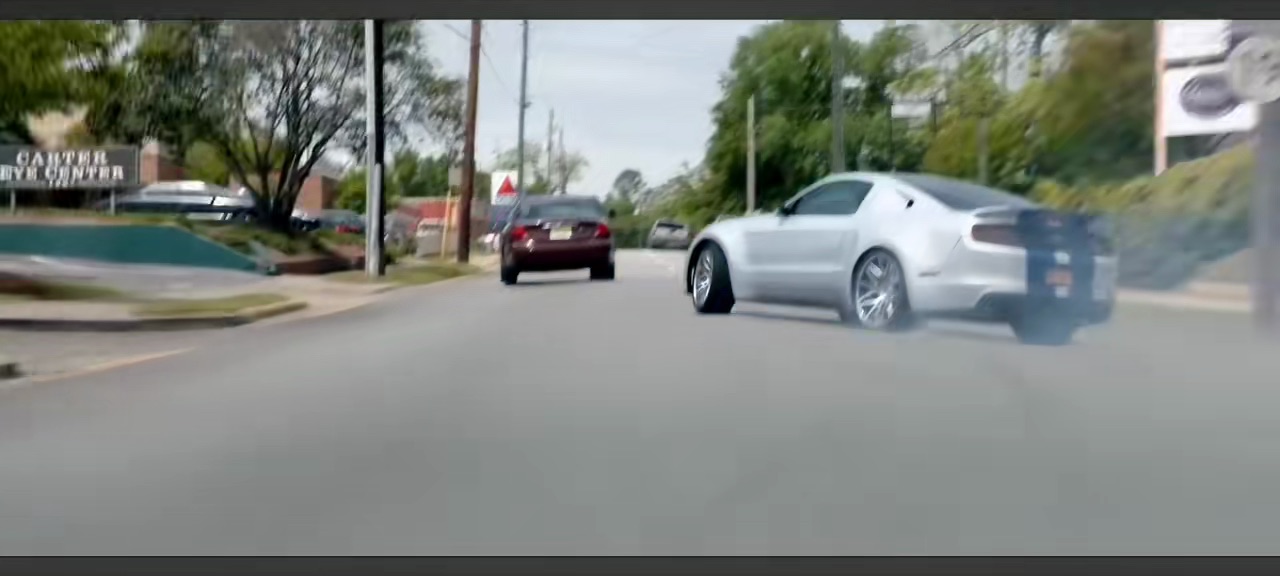
It is the street chase from Need for Speed, the 2014 film based on the video games: a silver Mustang with blue racing stripes tears through a sunny small town, around corners, past a drive-through and through the traffic.

This repost of the scene passed a million plays on TikTok in October 2026. The AI versions keep its shots and swap in another car.

@trembala_555🔥 1.1M

On TikTok

The Need for Speed AI trend on TikTok

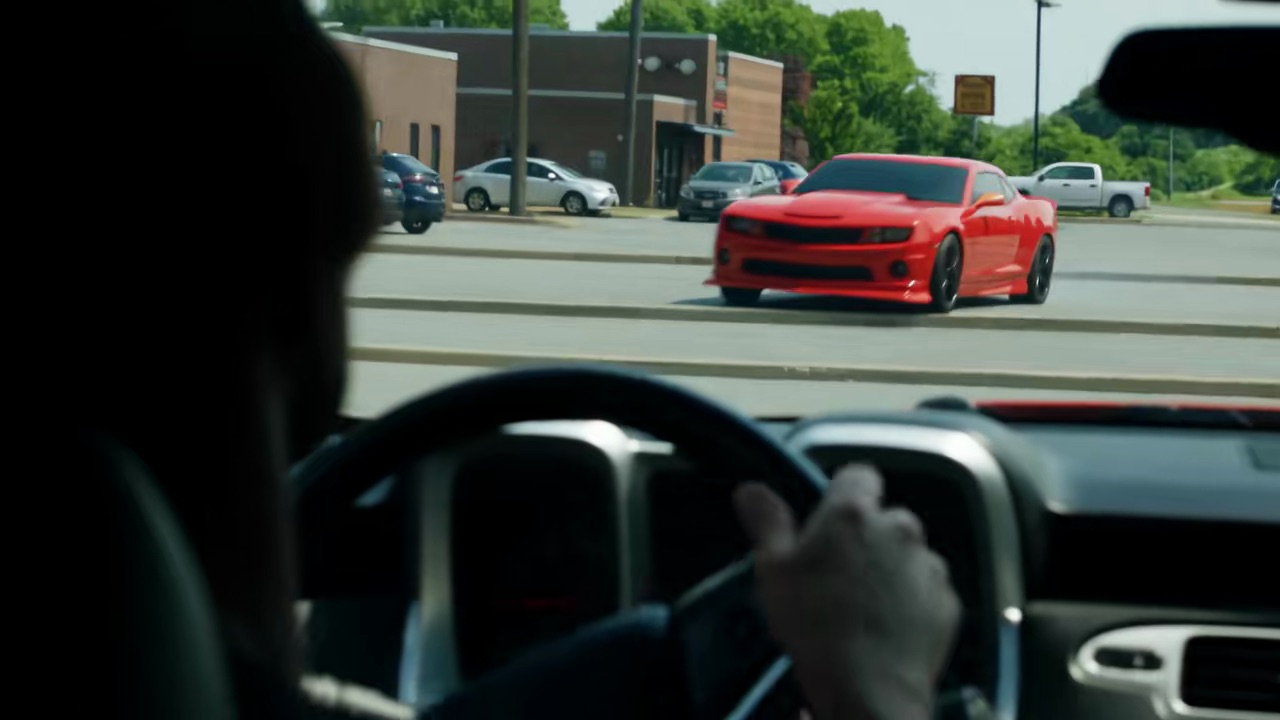
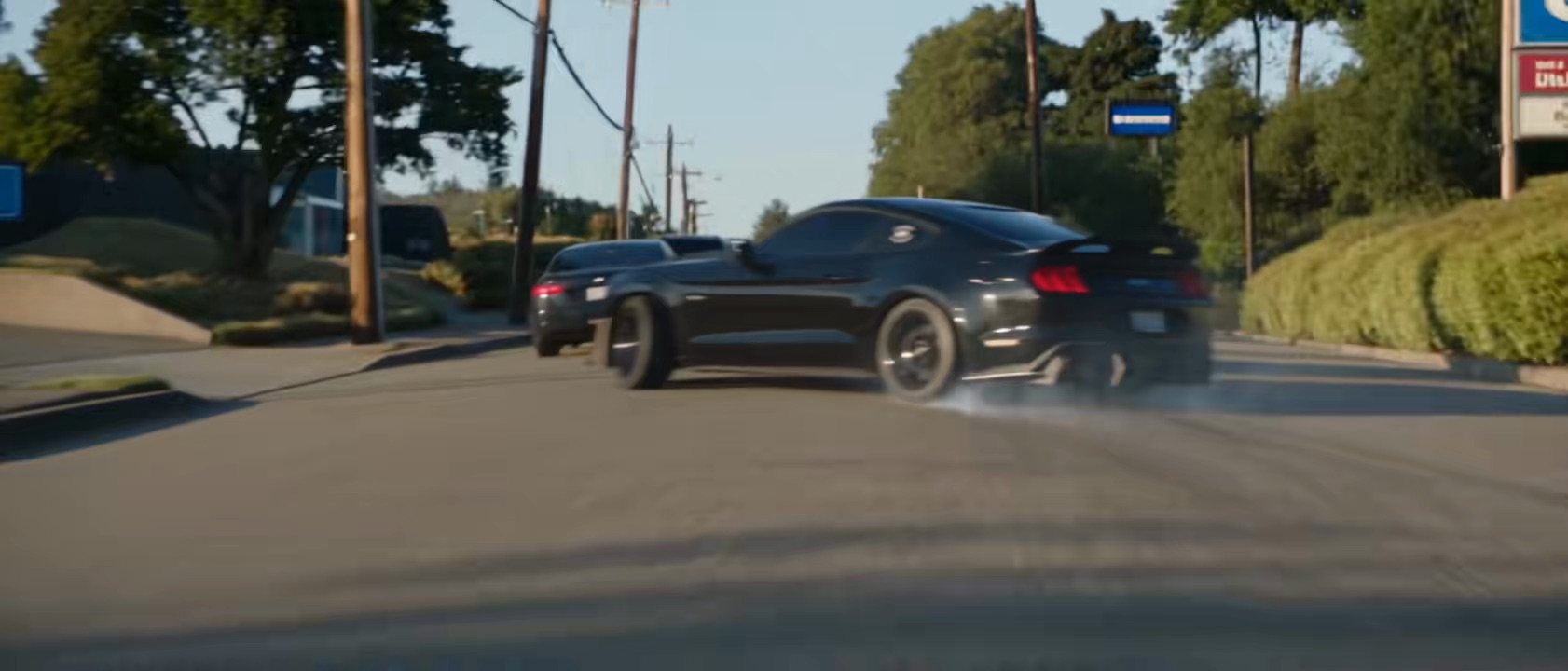
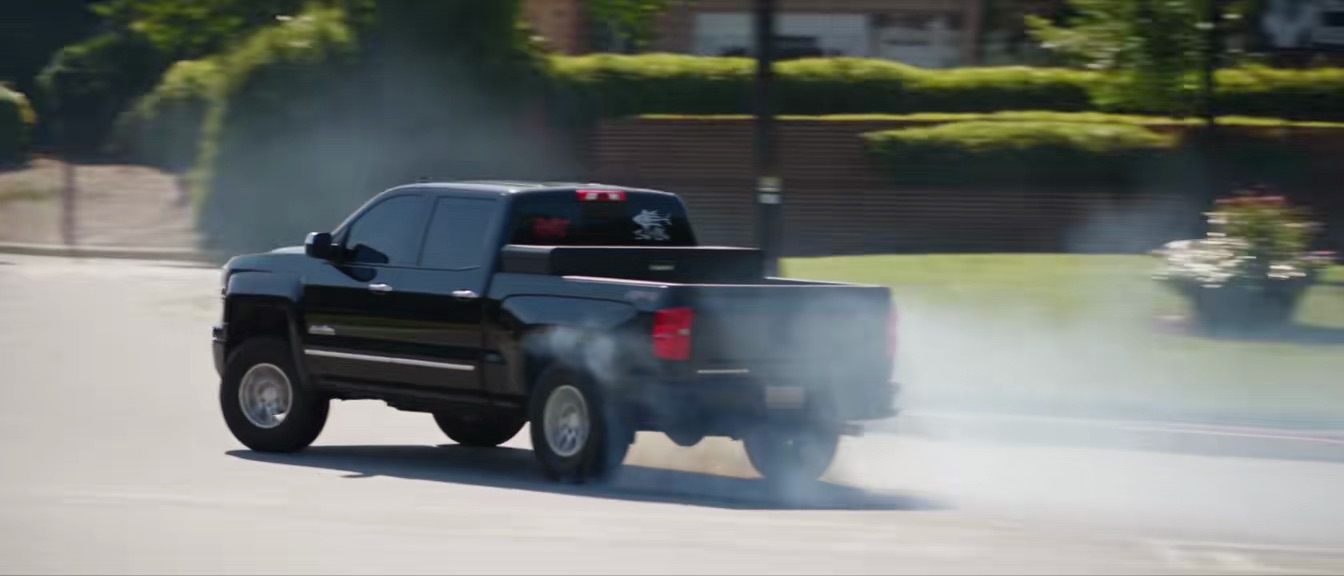
The same chase with other cars: a red Camaro, a black Mustang, a black pickup.

@greddytc05🔥 272K
@5ohfabio🔥 130K
@bigredjr01🔥 123K

How to

How to make a Need for Speed AI video

One photo of your car. The town, the stunts and the camera moves are already in the scene.

Make my Need for Speed video
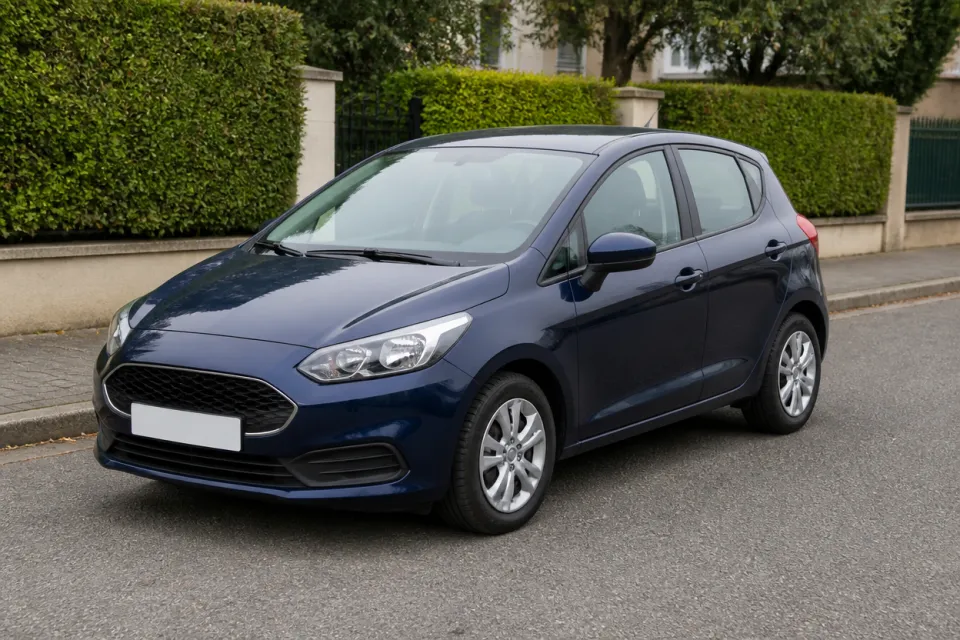
Sample photo: a dark blue hatchback parked on a quiet street, the whole car in viewYour car
This scene: The street chaseThis scene
A photo of your car goes in, and this scene comes out with your car in it.
  1. 01

    Step 1: Add a photo of your car

    The whole car, in daylight, from the front three-quarter or the side.

  2. 02

    Step 2: Tick the box

    Confirm you have the right to use the photo.

  3. 03

    Step 3: Make it

    Press the button. The video renders on its own; find it in My videos.

  4. 04

    Step 4: Download and post

    Tap Download MP4, then post it with the AI-generated content label on.

Your photo

Which car photo to use for the Need for Speed AI template

The photo is all the AI knows about your car, so show the whole of it, from the front three-quarter or the side, in daylight. Its paint, wheels and stickers carry into every shot.

  • Sample photo: a dark blue hatchback parked on a quiet street, the whole car in view
    Clear face, good light
  • Face in shadowTryTurn toward a window
    Face in shadow
  • Heavy filterTryUse the original photo
    Heavy filter
  • Face too smallTryStep closer: waist-up or full length
    Face too small

Works

  • The whole car in frame
  • Front three-quarter or side view
  • Daylight, no heavy filters
  • Cars, muscle cars or pickups

Skip

  • A close-up of one part, like a wheel
  • People standing in front of it
  • Photos of a screen or a brochure
  • Night shots with the headlights glaring

Background

Where the Need for Speed AI trend came from

The dates come from the TikTok posts.

  1. October 17, 2026

    The movie scene

    A repost of the film’s street chase, the silver Mustang with blue stripes, passes a million plays.

  2. November 10, 2026

    A Trans Am in the chase

    A car owner posts the scene with a friend’s black Trans Am in place of the Mustang, made with AI: “when 2 worlds collide”. It passes 270,000 plays.

  3. November 13, 2026

    Camaros and pickups

    A red Camaro goes through the same chase (“I gotta get on this trend!!”) and passes 270,000 plays; a black pickup follows the same day.

  4. November 14, 2026

    With my Mustang

    A black Mustang version, posted as “Deleted scenes from NFS”, fills with comments asking how to make one with their own car.

Fixes

If your Need for Speed AI video looks off

Almost everything comes back to the photo of the car.

  • It is not my model

    Use a photo of the whole car from the front three-quarter or the side, in daylight. A close-up of one part leaves the rest to the AI.

  • The color is wrong

    Night shots and heavy filters change the paint. Use a daylight photo with no filter.

  • The photo will not upload

    Use a JPG, PNG or WEBP. If an iPhone photo will not open, upload a screenshot of it.

  • The video did not render

    The credits go back on their own. Add the photo again and press the button.

Posting

Posting your Need for Speed car AI video

The captions on these are one short line that says it is AI. Add the words people search, like “need for speed car ai”, “need 4 speed ai” or “need for speed cinematic car ai”.

Captions to copy

Hashtags

  • #needforspeed
  • #carsoftiktok
  • #cartok
  • #aivideo
  • #fyp
  • Tag your model

    Add your car’s model as a hashtag, like #mustang or #camaro: that is how car TikTok finds it.

  • Label it as AI

    Switch on TikTok’s AI-generated content label; the posts in this trend say so in the caption too.

Pricing

Pay once, spend on any trend

One-time packs, no subscription. Credits never expire and come back if a render fails.

Starter

$9.90

15 credits per $1

150 credits

15 s of video

  • Trends, text and image to video
  • No watermark
  • Credits never expire
Most popular

Creator

$29.90

23.5 credits per $1 · 56% more

700 credits

1 min 10 s of video

  • Trends, text and image to video
  • No watermark
  • Credits never expire

Pro

$59.90

26.5 credits per $1 · 76% more

1,600 credits

2 min 40 s of video

  • Trends, text and image to video
  • No watermark
  • Credits never expire
Best value

Studio

$299

30 credits per $1 · 100% more

9,000 credits

15 min of video

  • Trends, text and image to video
  • No watermark
  • Credits never expire

Need for Speed AI video FAQ

How do I make a Need for Speed AI video?

Add one photo of your car, tick the box and press the button at the top of this page. When it is ready, download it and post it with the AI label on.

Do I need an app or the Need for Speed AI template?

No. The scene comes with the template on this page, and it all happens here in your browser, on a phone or a computer.

Can I put my own car in the Need for Speed scene?

Yes, that is the idea: the car in your photo takes the Mustang’s place in every shot, with its own paint, wheels and stickers. Cars, muscle cars and pickups all work.

Can I use a photo of a car I found online?

Only one you have the right to use.

What happens to my photo?

It is used only to make your video and is deleted when you delete the video. Nothing you upload is used to train models.

Independent tool. Not affiliated with or endorsed by Electronic Arts, the makers of the Need for Speed film, any carmaker, the creators of the TikTok versions, TikTok or any app. Need for Speed is a trademark of Electronic Arts. Videos are AI-generated; label them as AI when you post.